
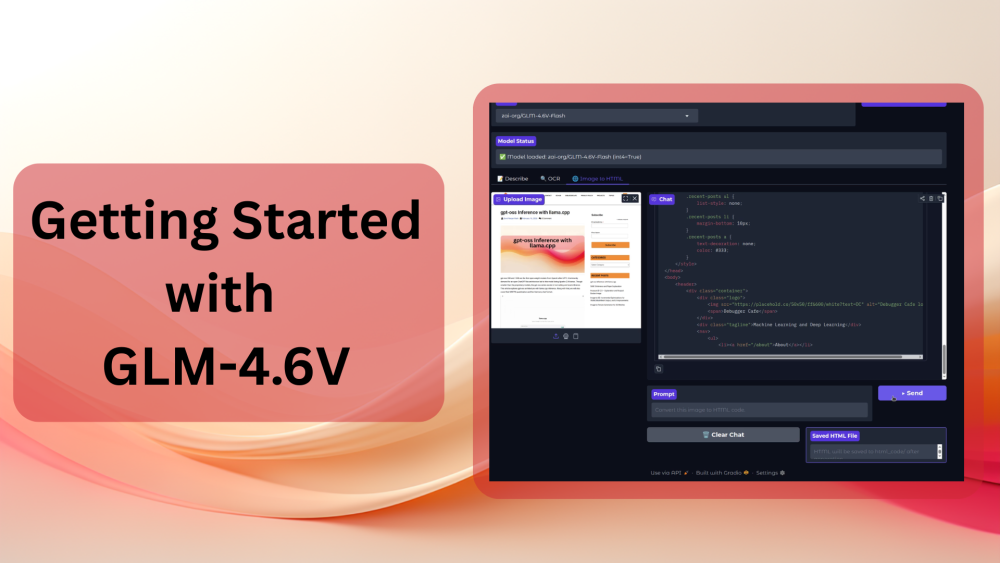
In this article, we will cover the GLM-4.6V Vision Language Model. The GLM-4.6V and GLM-4.6V-Flash are the two latest models in the GLM Vision family by z.ai. Here, we will discuss the capabilities of the models and carry out inference for various tasks using the Hugging Face Transformers library.
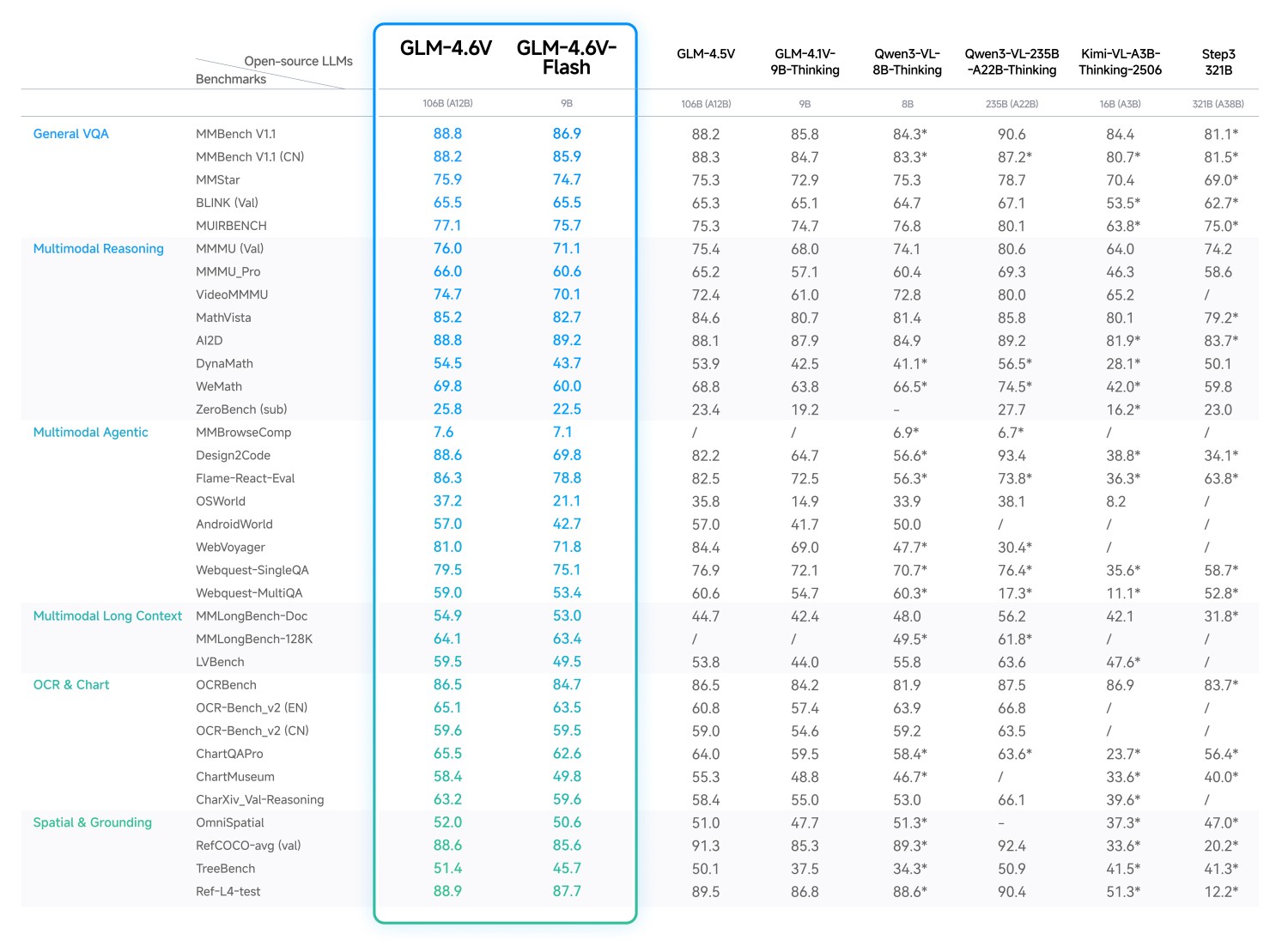
Both of these GLM Vision models, although smaller than some of their counterparts, such as Qwen3-VL and Step3, offer superior performance. We will uncover some of these details by discussing the important points from the technical article.
We will cover the following points while discussing GLM-4.6V:
- What are the different model sizes in the latest GLM vision family?
- What makes these models stand out from similar models?
- How to run inference with Hugging Face Transformers using GLM-4.6V?
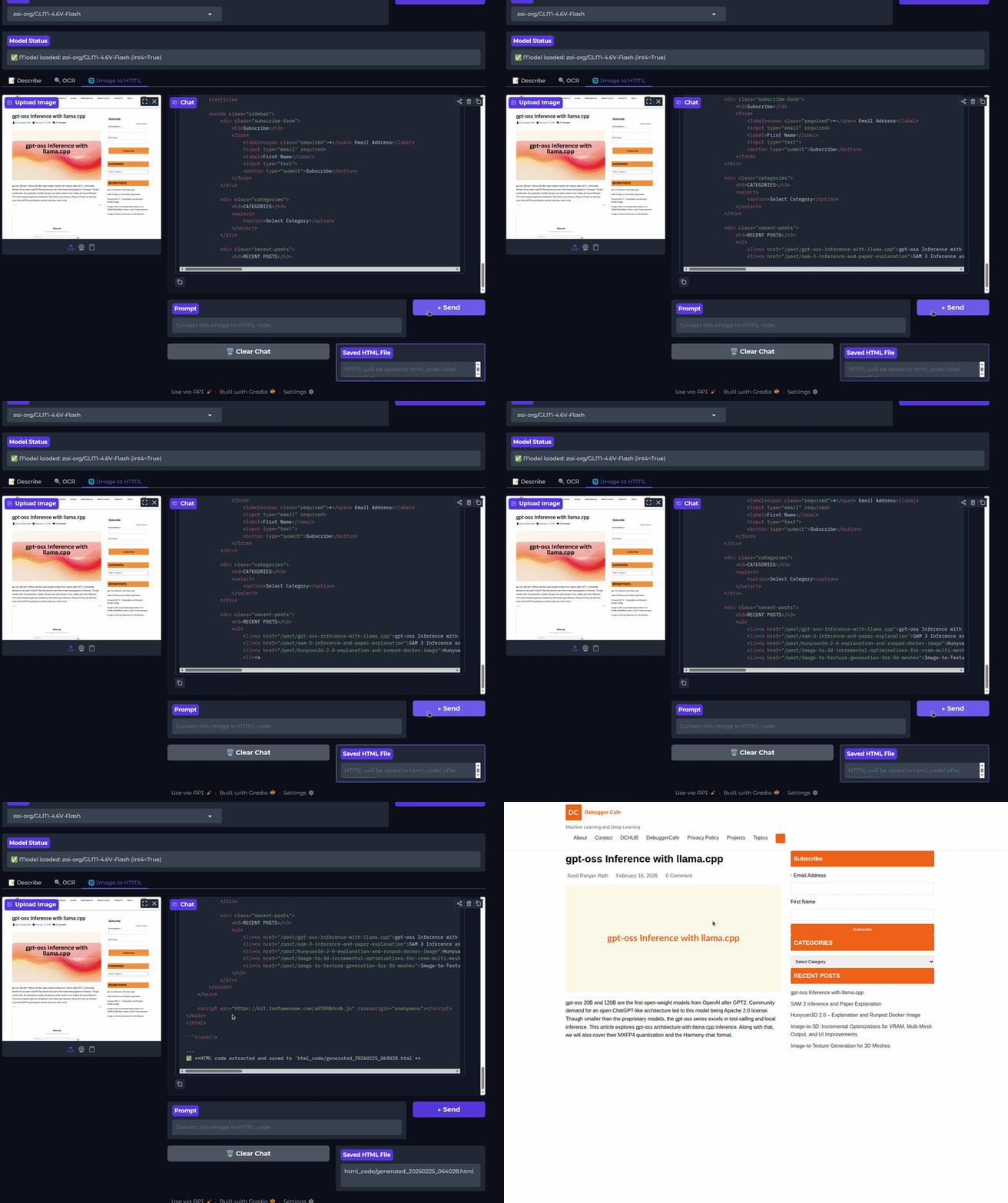
- Creating a Gradio application with GLM-4.6V for OCR and image to HTML use cases.
What is GLM-4.6V and Why is it Unique?
In this section, we summarize the most important points from the official technical post about the model
The GLM-4.6V series of models is the latest in the multimodal model series from z.ai. They move beyond simple image captioning and VQA tasks, towards fully agentic and tool calling capabilities.
The GLM-4.6V series contains two models:
- GLM-4.6V (106B): The foundation model is meant for the best response quality, to be deployed on cloud GPUs and clusters.
- GLM-4.V-Flash (9B): The lightweight model, which is meant for local deployment.
Going further, in this article, we will focus on the smaller version of the model to create a local VLM application.
Both models have 128K context length, enabling them to process long documents and have legnthy chats with users.
Native Multimodal Tool Use
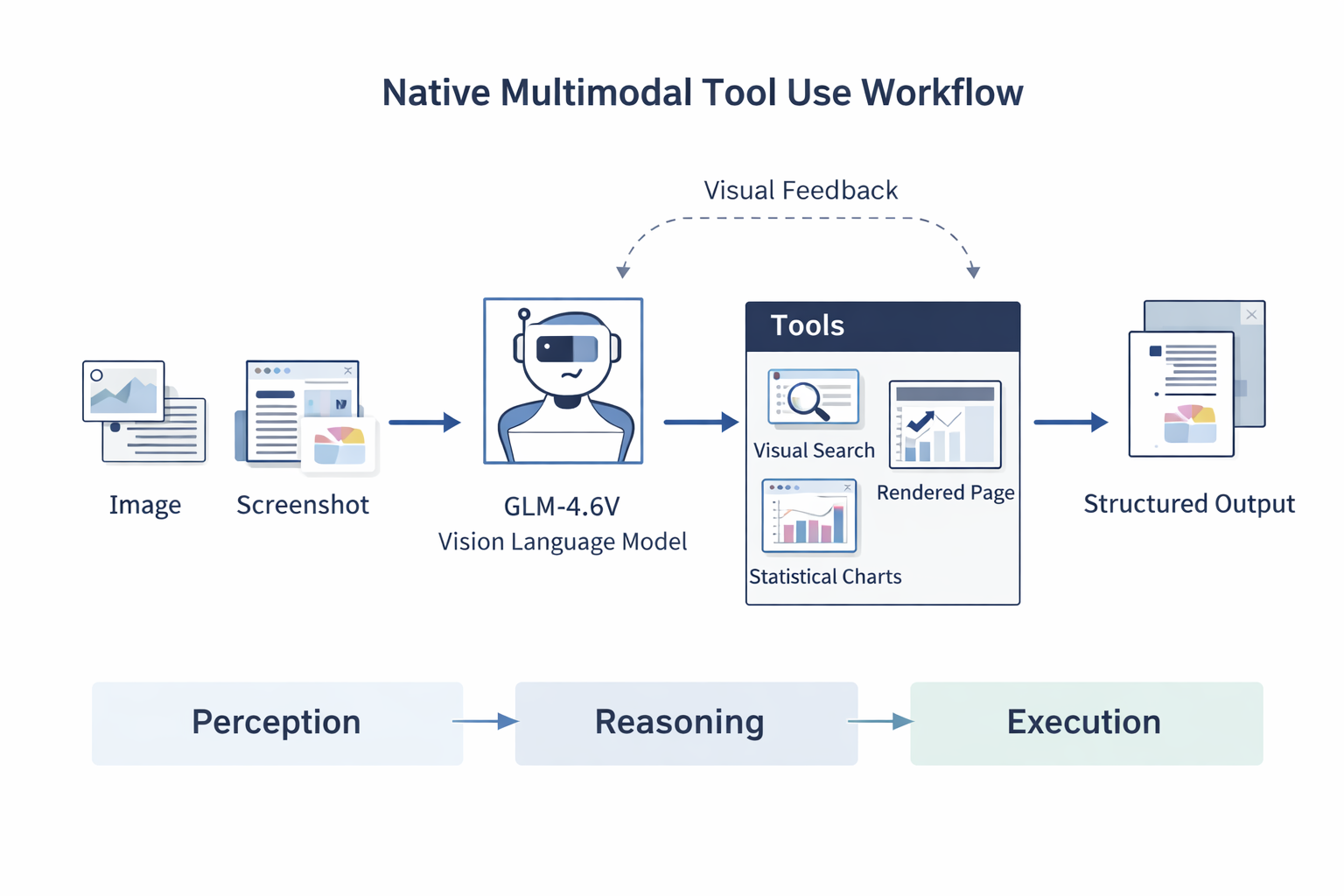
The models support native multimodal tool calling. This means that we do not need any LLMs + other vision models in the loop to achieve a multimodal workflow. This reduces friction as the same model can give text output, handle image/video/document input, and call tools whenever necessary.
The GLM-4.6V models can handle images, screenshots, and document pages. No need to convert them to text first. The models can also understand the outputs from the tools, such as rendered webpages, search results, and statistical charts.
This closes the loop from chaining multiple models to just using a single model for everything, starting from perception, to reasoning, and execution.
This is one step closer to a multimodal agentic workflow that we can run today, locally.
Core Capabilities
The technical post by the authors lays out several strengths of the models.
Rich Text Understanding
The GLM-4.6V models can accept research papers, reports, and slide decks as inputs to generate structured output.
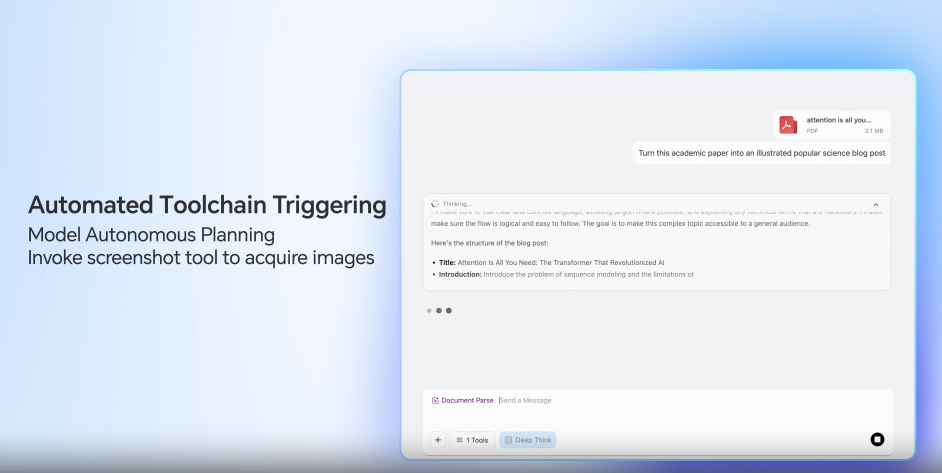
It can understand tables, charts, and images in the documents. Furthermore, it can call tools internally to crop images to carry out a visual audit for checking the relevance of the components.
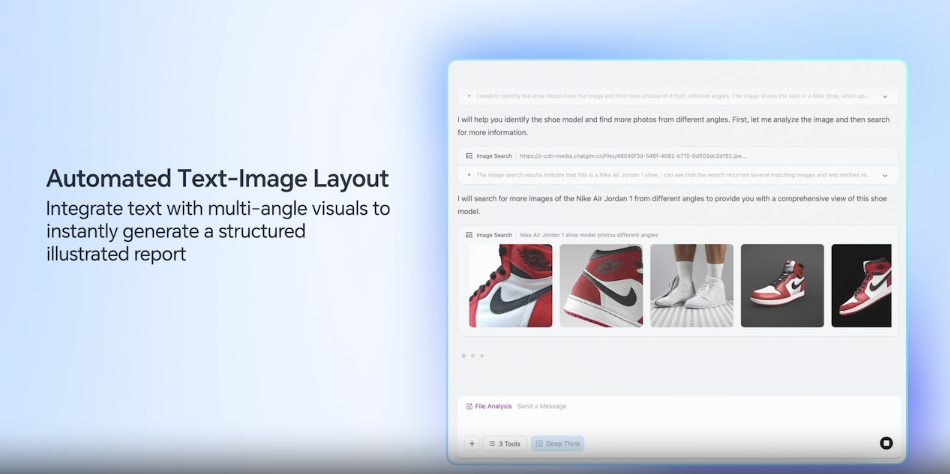
Visual Web Search
The models also support end-to-end multimodal web search, which allows them to:
- Carry out intent recognition and search planning
- Comprehend the mix of text and visual input returned by web search tools
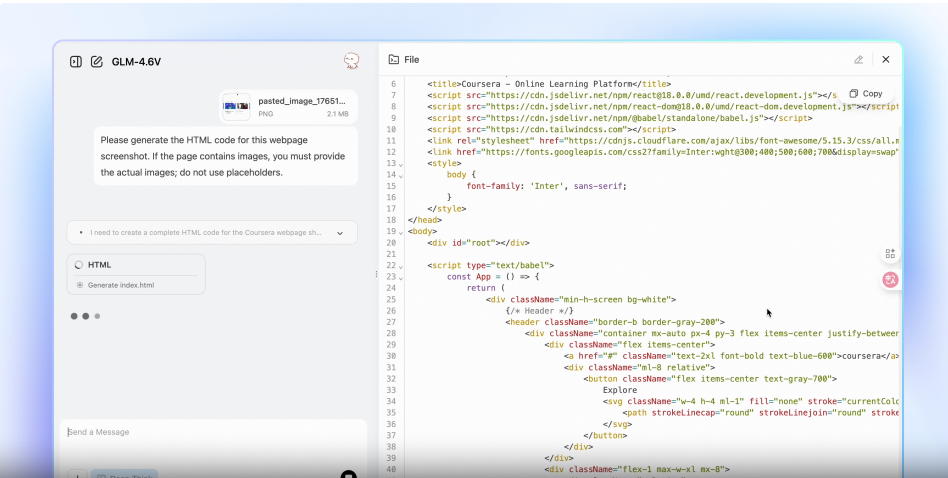
Front End Replication + Visual Interaction
The GLM-4.6V models are adept at generating HTML mockups from screenshots of web pages. This can speedup the replication of UI elements. They can also generate high quality CSS and JS code while accepting natural language edits on screenshots.
Long Context Understanding
The 128K context length of the models allows them process huge documents, say, 150 pages of PDF, or 200 pages of slide decks, or upto 1 hour of video.
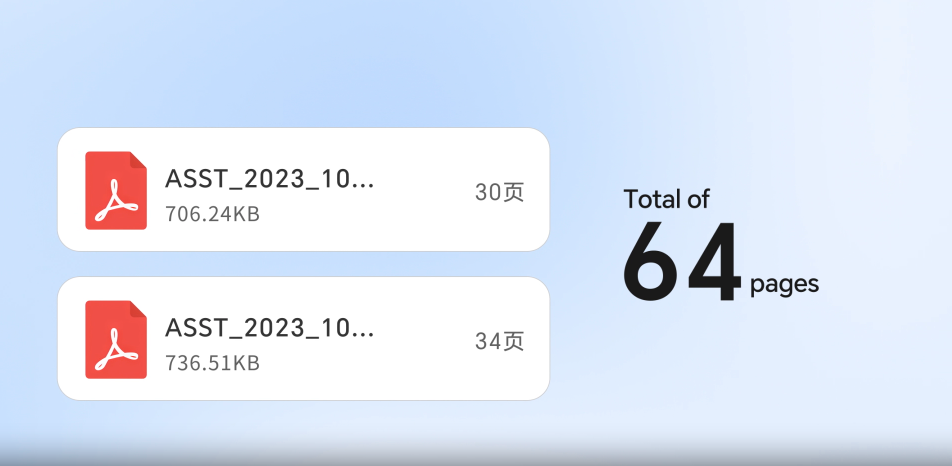
This unlocks huge arenas for teaching, research, and auditing applications.
GLM-4.6V Benchmarks
GLM-4.6V has been evaluated across 20+ multimodal benchmarks, including:
- MMBench
- MathVista
- OCRBench
It achieves state-of-the-art performance among open-source models of comparable scale in multimodal reasoning, logical reasoning, and long-context understanding.
Under-the-Hood Improvements
Several technical choices enable these capabilities:
- Continual pretraining on large-scale long-context image-text data
- Visual-language compression alignment (inspired by Glyph)
- Billion-scale multimodal world knowledge datasets
- Agentic synthetic data training
- Reinforcement Learning for multimodal tool invocation
- A “Visual Feedback Loop” allowing self-correction in UI/code scenario
These improvements push GLM-4.6V toward robust multimodal agent behavior rather than isolated task execution.
From the next section onward, we will jump into the inference using GLM-4.6V.
Directory Structure
The following is the directory structure we have for the inference experiments.
.
├── html_code
│   ├── generated_20260221_151716.html
│   └── generated_20260221_205900.html
├── input
│   ├── image_1.png
│   ├── image_2.png
│   └── image_2_resized.png
├── app.py
├── glm_v_infer.py
└── requirements.txt
- We have a CLI executable script,
glm_v_infer.py, and a Gradio application,app.py. - The
inputdirectory contains the images that we can experiment our GLM-4.6V inference pipeline with. - The Gradio application supports an “image-to-HTML” mode. For this, all the HTML generated code is stored in the
html_codedirectory.
All the code and requirements files are available for download in the form of a zip file.
Download Code
Installing Dependencies
We can install the necessary libraries and frameworks using the requirements file.
pip install -r requirements.txt
Inference Using GLM-4.6V
Let’s jump into the codebase now. We will cover the glm_v_infer.py script in detail here. The app.py containing the code for the Gradio application is mostly an extension of the logic from the former, with a few additional components.
The following code that we are discussing is present in glm_v_infer.py file.
Import Statements
The first code block covers all the imports that we need.
from transformers import (
    AutoProcessor,
    Glm4vForConditionalGeneration,
    BitsAndBytesConfig,
    TextIteratorStreamer
)
from threading import Thread

import torch
import argparse
We are importing BitsAndBytesConfig as we are providing the option to load the model in INT4 or FP16 format. Also, TextIteratorStreamer and threading will help us manage streaming output text.
Helper Functions to Load Model and Manage Prompts
The following code block contains the functions to load the model and manage the prompt messages for the model.
def get_quant_cofig():
    quantization_config = BitsAndBytesConfig(
        load_in_4bit=True,
        bnb_4bit_compute_dtype=torch.bfloat16,
        bnb_4bit_quant_type='nf4',
        bnb_4bit_use_double_quant=True,
    )

    return quantization_config

def load_model(model_path, stream=False, quantization_config=None):
    processor = AutoProcessor.from_pretrained(model_path)

    model = Glm4vForConditionalGeneration.from_pretrained(
        pretrained_model_name_or_path=model_path,
        quantization_config=quantization_config,
        # torch_dtype='auto',
        device_map='auto'
    )

    if stream:
        streamer = TextIteratorStreamer(
                processor.tokenizer,
                skip_prompt=True,
                skip_special_tokens=False
            )
    else:
        streamer = None

    return processor, model, streamer

def get_prompt(image_path, user_input):
    messages = [
        {
            'role': 'user',
            'content': [
                {
                    'type': 'image',
                    'url': image_path
                },
                {
                    'type': 'text',
                    'text': user_input
                }
            ],
        }
    ]

    return messages
The model gets loaded in INT4 format if quantization_config is True. Also, we have an option whether to initialize the text streamer or not based on a command line argument.
The get_prompt function appends the user prompt and the image to the messages list. We can pass these as command line arguments.
Functions to Run Inference
We have two inference functions, one for non-streaming output and another for streaming output.
def run_inference(processor, model, image_path, user_input):
    messages = get_prompt(image_path, user_input)

    inputs = processor.apply_chat_template(
        messages,
        tokenize=True,
        add_generation_prompt=True,
        return_dict=True,
        return_tensors='pt'
    ).to(model.device)

    inputs.pop('token_type_ids', None)

    generated_ids = model.generate(
        **inputs,
        max_new_tokens=8192
    )

    output_text = processor.decode(
        generated_ids[0][inputs['input_ids'].shape[1]:],
        skip_special_tokens=False
        )
    return output_text

def run_inference_stream(processor, model, image_path, user_input, streamer=None):
    messages = get_prompt(image_path, user_input)

    inputs = processor.apply_chat_template(
        messages,
        tokenize=True,
        add_generation_prompt=True,
        return_dict=True,
        return_tensors='pt'
    ).to(model.device)

    inputs.pop('token_type_ids', None)

    generate_kwargs = dict(
        **inputs,
        streamer=streamer,
        max_new_tokens=8192,
    )

    thread = Thread(target=model.generate, kwargs=generate_kwargs)
    thread.start()

    for new_text in streamer:
        yield new_text
This can help us choose non-streaming output where streaming is not supported.
The Main Block
Finally, the main code block.
if __name__ == '__main__':
    MODEL_PATH = 'zai-org/GLM-4.6V-Flash'

    parser = argparse.ArgumentParser(description='GLM-4.6V-Flash Inference')
    parser.add_argument(
        '--model_path',
        type=str,
        default=MODEL_PATH,
        help='Path/Hugging Face model identifier for GLM-4.6V-Flash'
    )
    parser.add_argument(
        '--int4',
        action='store_true',
        help='Use 4-bit quantization for inference'
    )
    parser.add_argument(
        '--input',
        type=str,
        default='input/image_1.png',
        help='Path to the input image for inference'
    )
    parser.add_argument(
        '--prompt',
        type=str,
        default='describe this image',
        help='User input for inference'
    )
    parser.add_argument(
        '--stream',
        dest='stream',
        action='store_true',
        help='Enable streaming output'
    )

    args = parser.parse_args()

    # Load model.
    quantization_config = get_quant_cofig() if args.int4 else None

    processor, model, streamer = load_model(
        args.model_path,
        stream=args.stream,
        quantization_config=quantization_config
    )

    # Run inference.
    if not args.stream:
        output = run_inference(
            processor,
            model,
            args.input,
            args.prompt,
        )
        print(output)
    else:
        output = run_inference_stream(
            processor,
            model,
            args.input,
            args.prompt,
            streamer
        )
        for new_text in output:
            print(new_text, end='', flush=True)
We are specifically using the GLM-4.6V-Flash model here for inference. When loaded in quantized format, it can run within 10GB VRAM requirements.
Depending on whether the user passes the --stream argument or not, we have two different print logics at the end.
Running the CLI Inference with GLM-4.6V-Flash
The following experiments were run in an RTX 3080 10GB VRAM GPU.
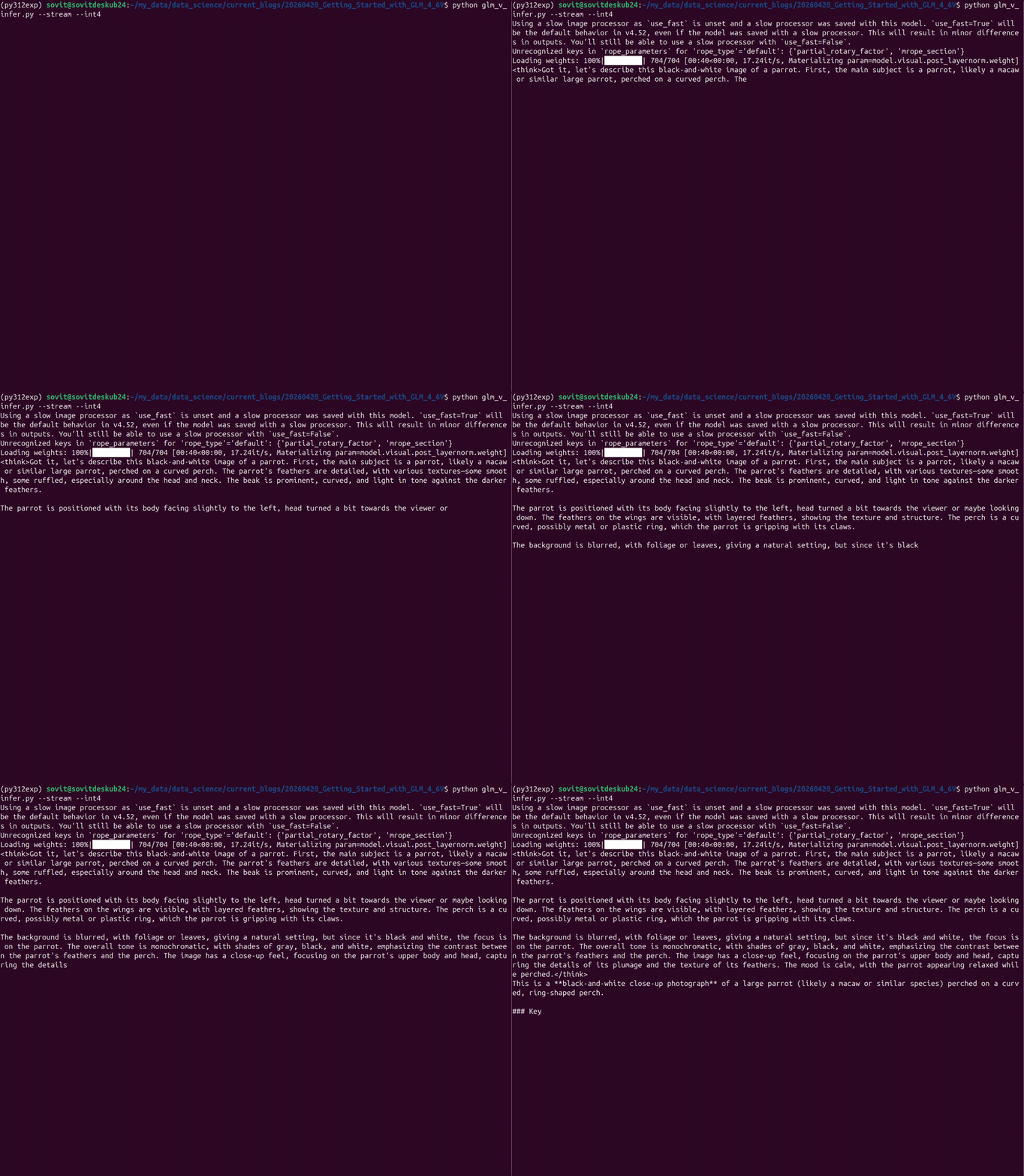
To use the default image and prompts, we can simply execute the following for streaming output in INT4 quantized format.
python glm_v_infer.py --stream --int4
By default, the model just describes the image.
We can choose a different image and a custom prompt as well.
python glm_v_infer.py --stream --int4 --input input/image_2.png --prompt "describe the image and what does it show"
If you have access to ~20GB VRAM, you can also run the model in full precision.
Running the Gradio Application
The Gradio application (code contained in app.py) is an extension of the CLI script. There are a few additional components, such as the following:
- There are three tabs – image description, OCR, and image-to-HTML.
- The OCR tab contains a default prompt for giving the OCR text only.
- Similarly, the Image to HTML tab contains a default prompt. The script contains a logic to extract the HTML code which is saved in the
html_codedirectory. - Finally, there is a toggle to hide/show the thinking text.
Execute the following in the terminal and open the http://127.0.0.1:7860/ URL in the browser.
python app.py
The following video shows the OCR output using the GLM-4.6V Gradio application.
The next video shows the image-to-HTML functionality.
We can achieve better results by running the model in FP16/BF16. Also, you can load the larger model from the dropdown if you have enough VRAM.
Also, note that we are not strictly analyzing the results of the model here, but rather creating a simple workflow for different experiments.
Summary and Conclusion
In this article, we covered the GLM-4.6V series of models. We discussed the important concepts from the technical blog post, the special features, and the benchmarks. Next, we created a simple inference workflow with GLM-4.6V-Flash along with a Gradio application. In the next article, we will focus on creating more vision-reasoning agentic workflow and fine-tuning the model.
If you have any questions, thoughts, or suggestions, please leave them in the comment section. I will surely address them.
You can contact me using the Contact section. You can also find me on LinkedIn, and X.

