
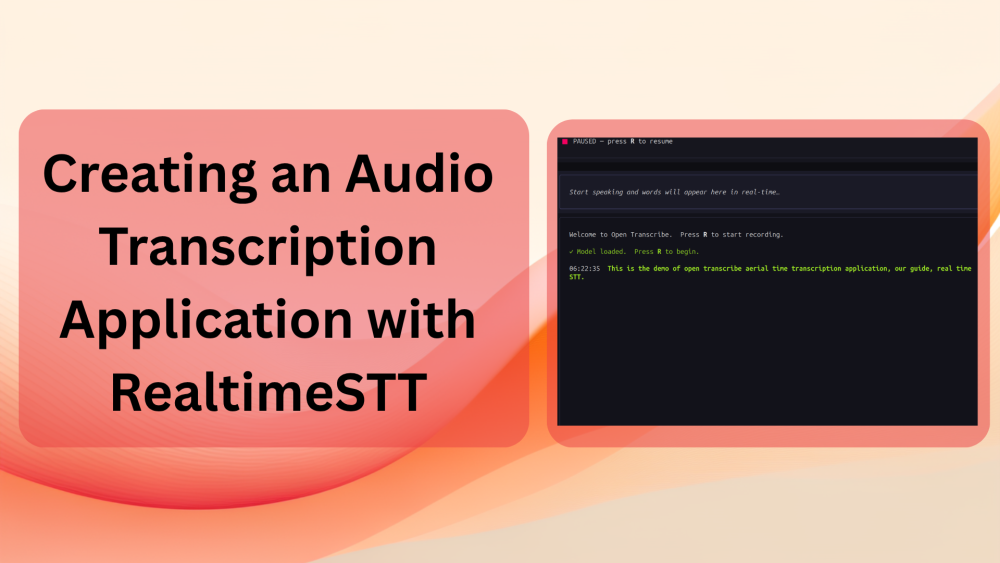
In this article, we will build a real-time audio transcription application powered by the RealtimeSTT library. The application will have a simple command-line interface (CLI) for quick execution and a TUI (Terminal User Interface) for a more refined yet compact workflow and experience.
Voice applications have evolved a lot in the last few years. From speech understanding with models like Speech2Vec, we have come to real-time transcription models.
Today, these models power the interface layer of several applications. From voice-driven interface in ChatGPT, where users can just speak into it, to the local dictation apps for efficient note-taking, the use cases are countless.
This article is our attempt to replicate such a solution at a compact scale that runs locally in real-time on both CPU and GPU with pretrained OpenAI Whisper models.
What will we cover while building the audio transcription application?
- Why do we need this project?
- Setting up the libraries locally.
- Creating the real-time audio transcription layer and codebase.
- Coding a simple CLI component and a TUI component.
- Testing the audio transcription application.
Why Do We Need an Audio Transcription Project?
Real-time transcription applications are not new. There are numerous free and paid applications. However, understanding how to create one is also crucial. For this reason, recently, I started working on the open_transcribe project on GitHub. At the time of writing this, the path for the project is still dynamic. I wanted to play around with open-source real-time audio transcription systems and started by building on top of RealtimeSTT (a huge thanks to Kolja Beigel).
The project structure and path might change entirely in the coming weeks. But the real question now is, “Why do we need a wrapper around RealtimeSTT?”
The RealtimeSTT is a great project with several functionalities. It already provides:
- Real-time audio capture and speech-to-text transcription
- VAD (Voice Activity Detection) using Silero
- Streaming partial text callbacks
- Integration with faster-whisper for the ML model
However, the codebase and project that we are creating here add the following:
- A beautiful terminal UI (TUI) with real-time transcription as and when the user speaks.
- Wrapper abstraction using
AudioStreamclass, which simplifies the streaming of text on the terminal and handles threads. - Cross-platform, works on Linux, Mac, and Windows.
- Configuration management via a config script.
- Both TUI and pure CLI versions for quick testing.
Currently, the TUI version works in the following manner:
┌─ Open Transcribe ────────────────────────────────────────┐
│  ● LISTENING — speak now                                 │
├──────────────────────────────────────────────────────────┤
│  The quick brown fox jumps over▌                         │  ← live streaming
├──────────────────────────────────────────────────────────┤
│  14:02:31  The quick brown fox jumps over the lazy dog.  │  ← locked-in
│  14:02:28  Hello world, this is Open Transcribe.         │
│  14:02:25  ✓ Model loaded.  Press R to begin.            │
└──────────────────────────────────────────────────────────┘
We will get into the details of the functionalities when executing the code.
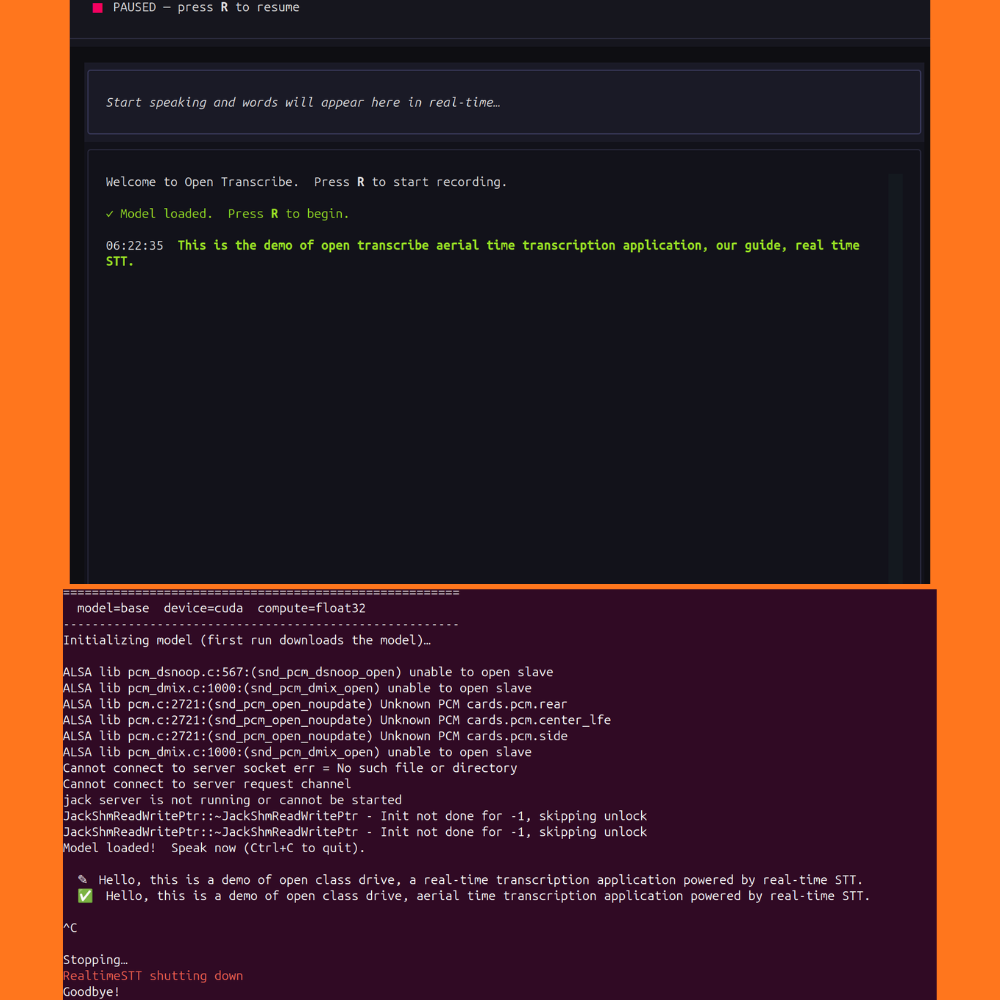
Furthermore, as the project is in very early stages, major changes are inbound. So, a stable version of the codebase is provided in the form of a zip file along with this article.
Disclaimer: After the initial ideation and writing a few logical functions, a majority of the codebase, including the TUI code, was generated by AI coding agents. There might be minor inconsistencies that I will take care of in subsequent code updates.
Project Directory Structure
The following is the code directory structure.
├── examples
│   └── minimal_streaming.py
├── pyproject.toml
├── README.md
├── requirements.txt
└── src
    ├── audio_stream.py
    ├── config.py
    ├── __init__.py
    ├── main.py
    └── ui
        ├── app.py
        └── __init__.py
- All the logical components of the codebase currently reside in the
srcdirectory. Theuisubdirectory contains the code for TUI. - The
examplesdirectory contains a minimal running example that runs in CLI mode.
A stable version of the codebase is available with this article, which can be directly run after completing the installation steps.
Download Code
Installing Dependencies
The README.md file contains the installation steps for Windows, macOS, and Linux. Please follow the Quick Start section in the README.md file to complete the setup according to your OS.
Audio Transcription Application with RealtimeSTT
In this section, we will go through some of the important components of the codebase. These include:
main.pyconfig.pyaudio_stream.py
Creating the Audio Streaming Wrapper
We will start with the most important component of the codebase, the AudioStream class in the src/audio_stream.py file.
Let’s examine how the AudioStream class provides a clean abstraction over the RealtimeSTT library.
The AudioStream class is the backbone of our application. It wraps RealtimeSTT’s AudioToTextRecorder and abstracts away threading complexity, making it easy for the UI layer to handle real-time transcription events.
RealtimeSTT is powerful but requires careful thread management and callback handling. Our AudioStream class provides:
- Callback-based architecture: Three distinct callbacks (
on_realtime,on_final,on_error) keep concerns separated. - Thread safety: Audio capture runs in a background daemon thread, preventing the UI from freezing.
- Lifecycle management: Clear methods for initialization, starting, stopping, and cleanup.
Initialization and Callbacks
The following code block shows the initialization and callbacks in the __init__ method.
def __init__(
    self,
    config: Config,
    on_realtime: Optional[Callable[[str], None]] = None,
    on_final: Optional[Callable[[str], None]] = None,
    on_error: Optional[Callable[[str], None]] = None,
):
The constructor accepts:
config: Our configuration object (model, device, language settings). We will get into the details in the following section.on_realtime: Called with partial text while the user is still speaking (live streaming).on_final: Called with confirmed text after the user pauses (high confidence).on_error: Called if any exception occurs during transcription.
Initialization
The initialize() method creates the AudioToTextRecorder only when needed.
def initialize(self) -> None:
        """Create the AudioToTextRecorder.  Heavy (downloads model on first run)."""
        self.recorder = AudioToTextRecorder(
            model=self.config.model,
            language=self.config.language,
            device=self.config.device,
            compute_type=self.config.compute_type,
            spinner=False,
            enable_realtime_transcription=self.config.enable_realtime_transcription,
            on_realtime_transcription_update=self._handle_realtime,
            post_speech_silence_duration=self.config.post_speech_silence_duration,
        )

    def start(self) -> None:
        """Begin capturing audio in a background thread."""
        if self.is_listening:
            return
        if self.recorder is None:
            self.initialize()
        self.is_listening = True
        self._thread = threading.Thread(target=self._loop, daemon=True)
        self._thread.start()
This is crucial because model downloading (especially on the first run) is time-consuming. We defer this until start() is called.
The Streaming Loop
The _loop() method runs in a daemon thread and continuously polls recorder.text():
def _loop(self) -> None:
    if not self.recorder:
        return
    try:
        while self.is_listening:
            try:
                text = self.recorder.text()
                if text and text.strip() and self.on_final:
                    self.on_final(text.strip())
            except Exception as exc:
                if self.on_error:
                    self.on_error(str(exc))
This loop handles:
- Blocking retrieval:
recorder.text()blocks until speech ends (VAD-detected silence). - Error resilience: Catches exceptions and invokes the error callback.
- Clean shutdown: Respects the
is_listeningflag for graceful termination.
Real-time Streaming
RealtimeSTT’s on_realtime_transcription_update callback fires during speech. We wire this during initialization:
on_realtime_transcription_update=self._handle_realtime,
This allows the UI to display live, streaming text (with the cursor) as users speak, without waiting for them to finish.
Lifecycle Management
Furthermore, we have a three-tier approach that gives the TUI fine-grained control over when to consume resources.
start(): Lazy-loads the model, creates a daemon thread, and begins listening.stop(): Pauses listening (thread stays alive, can resume).shutdown(): Fully destroys the recorder and cleans up resources.
The Configuration Script
The code in src/config.py handles the global configuration for the entire project.
"""Configuration management for Open Transcribe."""

from dataclasses import dataclass
from typing import Literal


@dataclass
class Config:
    """Configuration for Open Transcribe speech-to-text.

    All defaults are battle-tested on Windows/Mac/Linux CPU.
    """

    # Model
    # (tiny, tiny.en, base, base.en,
    # small, small.en, distil-small.en, medium, medium.en, \
    # distil-medium.en, large-v1,
    # large-v2, large-v3, large, distil-large-v2,
    # distil-large-v3, large-v3-turbo, or turbo)
    model: str = "base"
    language: str = "en"
    device: Literal["cpu", "cuda"] = "cuda"
    compute_type: str = "float32"

    # Realtime STT behaviour
    enable_realtime_transcription: bool = True
    post_speech_silence_duration: float = 1.0  # seconds of silence before finalizing

    # UI
    app_title: str = "Open Transcribe"

    def summary(self) -> str:
        return f"model={self.model}  device={self.device}  compute={self.compute_type}"
We define the following in the script:
- The model name
- The computation device
- Transcription language
- And compute type
We can also control whether we want real-time transcription or not while the user is speaking, using the enable_realtime_transcription variable.
The Main Script
Finally, we have the src/main.py, which is the entry point for the TUI.
While it appears simple at first glance, it contains critical setup logic that ensures cross-platform compatibility, particularly on Linux systems.
When we run the application on Linux, we may encounter this error:
ValueError: bad value(s) in fds_to_keep passed to _posixsubprocess.fork_exec()
This occurs because RealtimeSTT uses multiprocessing to spawn worker processes. During this process, Python’s internal _posixsubprocess.fork_exec() validates file descriptors (FDs) – references to open files, sockets, and other I/O resources. If any FD in the list has already been closed, the validation fails and raises an error.
Why does this happen?
The Whisper model (via faster-whisper) and other multiprocessing operations open and close file descriptors rapidly. Sometimes, a stale FD reference still exists in the tuple passed to fork_exec(), causing the crash.
The solution?
We monkey-patch the _posixsubprocess.fork_exec() function to filter out invalid file descriptors before they are validated.
"""Main entry point for Open Transcribe."""

# ── Workaround for "bad value(s) in fds_to_keep" ─────────────────────
# RealtimeSTT / multiprocessing pass already-closed file descriptors to
# _posixsubprocess.fork_exec(), which validates them and raises ValueError.
# Patch fork_exec() directly to filter out stale FDs (arg index 3).
import os as _os
import _posixsubprocess

_orig_fork_exec = _posixsubprocess.fork_exec

def _safe_fork_exec(*args):
    args = list(args)
    # fds_to_keep is argument index 3 — a sorted tuple of ints
    if len(args) > 3 and isinstance(args[3], (tuple, list)):
        args[3] = tuple(fd for fd in args[3] if _is_valid_fd(fd))
    return _orig_fork_exec(*args)

def _is_valid_fd(fd):
    try:
        _os.fstat(fd)
        return True
    except (OSError, ValueError):
        return False

_posixsubprocess.fork_exec = _safe_fork_exec
# ── End workaround ────────────────────────────────────────────────────
We monkey-patch _posixsubprocess.fork_exec() by wrapping it with _safe_fork_exec(), which validates and filters the file descriptors tuple (argument index 3) before passing it to the original function. The _is_valid_fd() helper uses os.fstat() to check each FD, removing stale or closed descriptors that would otherwise cause a crash during multiprocessing operations.
Import Path Setup
Next, we add the src/main.py to the system path as the project root.
import sys
from pathlib import Path

# Ensure project root is importable when running `python src/main.py`
sys.path.insert(0, str(Path(__file__).parent.parent))
Finally, we bootstrap the application by initializing the relevant classes and executing the methods.
from src.config import Config
from src.ui.app import TranscribeApp


def main() -> None:
    config = Config()
    app = TranscribeApp(config)
    app.run()


if __name__ == "__main__":
    main()
We load the configuration, initialize the TranscripeApp class for UI, and execute the run() method.
Note: We do not cover the UI code present in the src/ui/app.py here. It mostly contains the TUI code using the textual library.
Executing the TUI Application
We can start using the application with the TUI version by executing the following command.
python src/main.py
After the model has been loaded, we can:
- Press R to start speaking, and the text appears in real-time
- Press C to clear the text
- And press Q to quit the application
In the above example, the Whisper Base model is running on the CPU. And we are getting real-time transcription as well. As we can see, the pipeline tries to correct some of the misspelt words as and when they are transcribed. Whenever there is a gap of 1 second, the entire text is corrected, and the final transcription appears with the time-stamp. As we are using the Base model, there are some wrong transcriptions as well, which will get rectified when using larger models.
You can also try out the simpler CLI version, which is mostly helpful when debugging the application.
python examples/minimal_streaming.py
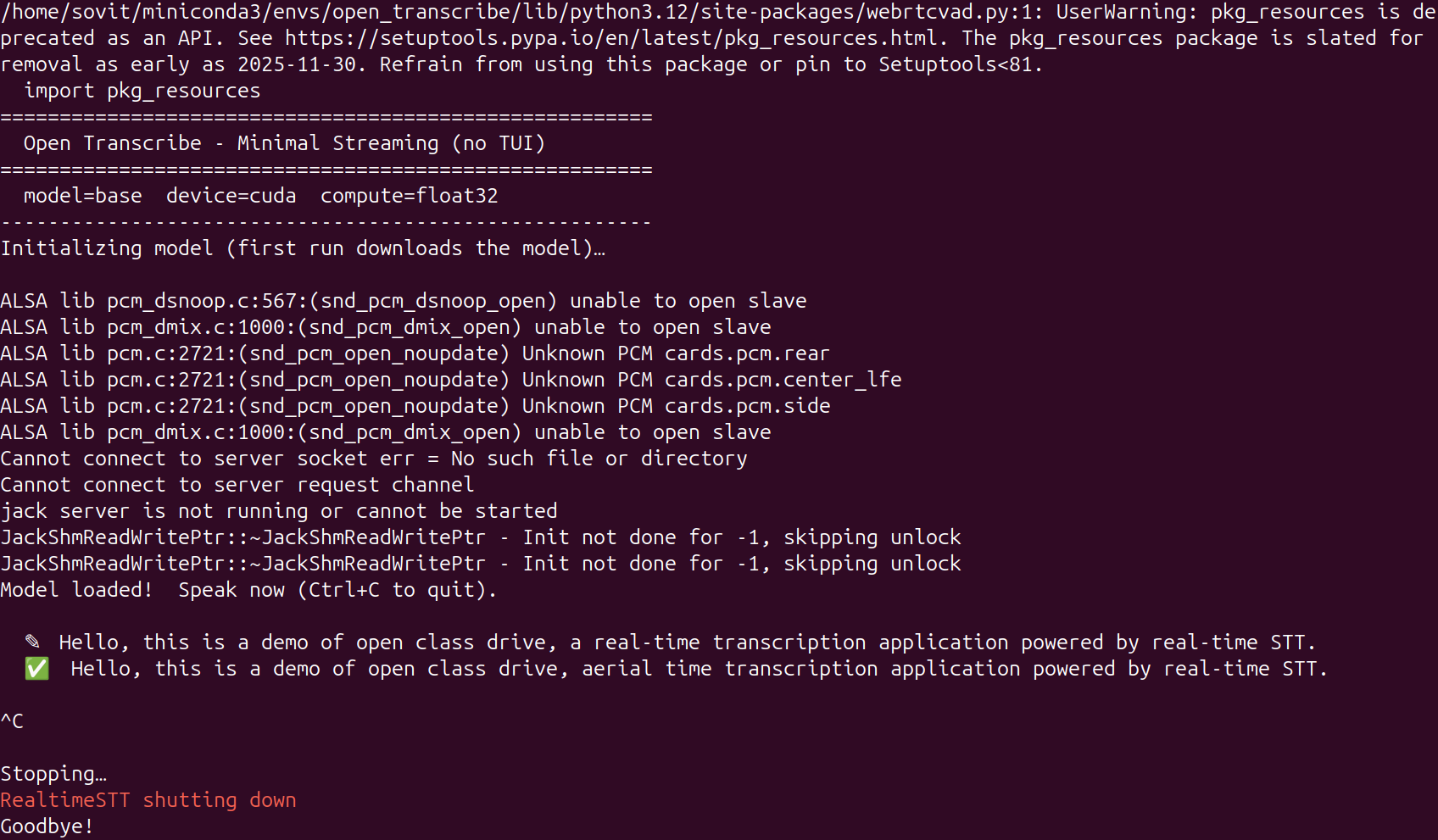
We can directly start speaking as soon as the model loads. It uses a similar approach to the TUI, where the text appears in real-time, and the final corrected text appears when there is a 1-second pause by the user.
Further Improvements
The following are some of the improvements that we can work on right away:
- Letting the user choose the model from a dropdown when loading the application
- Choosing between the GPU and the CPU device when executing the application
The above will separate the code and application layer entirely, and we will not have to touch the configuration file for model and compute experiments.
Summary and Conclusion
In this article, we started a simple project for a real-time transcription application on top of the RealtimeSTT library. We started with the discussion of some of the limitations of the library and how our project mitigates them. We covered the important sections of the code and saw the application in action along with future improvement points.
If you have any questions, thoughts, or suggestions, please leave them in the comment section. I will surely address them.
You can contact me using the Contact section. You can also find me on LinkedIn, and X.

