
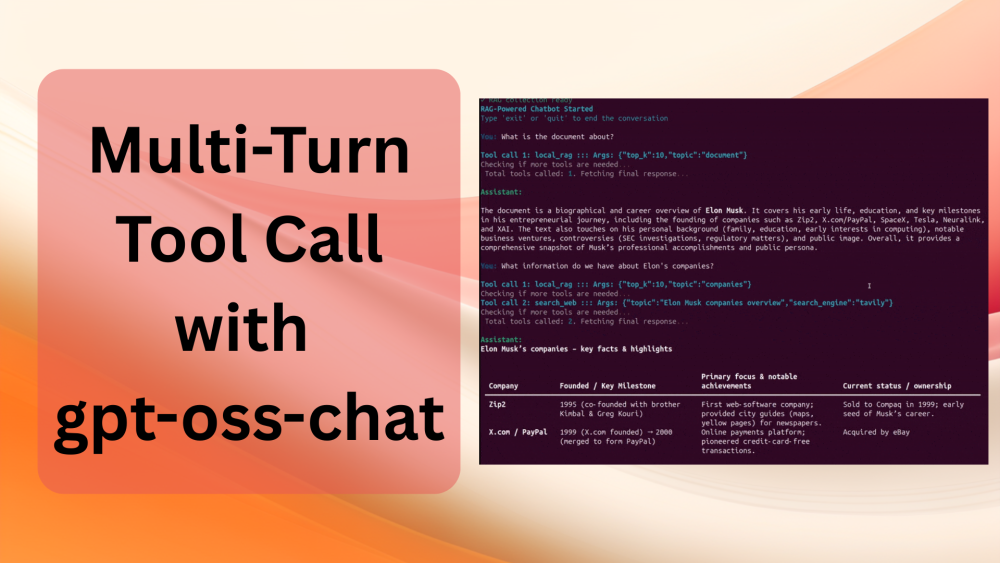
In today’s chat applications like ChatGPT or Claude, multiple tool calls are an inherent part of user interaction. The assistants can search the web, retrieve relevant text from user-uploaded documents, and then generate a response. All in one turn. But how do we achieve something like that locally? We will try to answer and implement that in this article. Here, we will extend the gpt-oss-chat capabilities with multi-turn tool call. Wherein, the user asks a question, and the assistant calls as many tools as needed to generate the relevant response.
Disclaimer: Multi-turn tool call here refers to the assistant making multiple internal tool calls across successive assistant turns, not the user asking multiple questions.
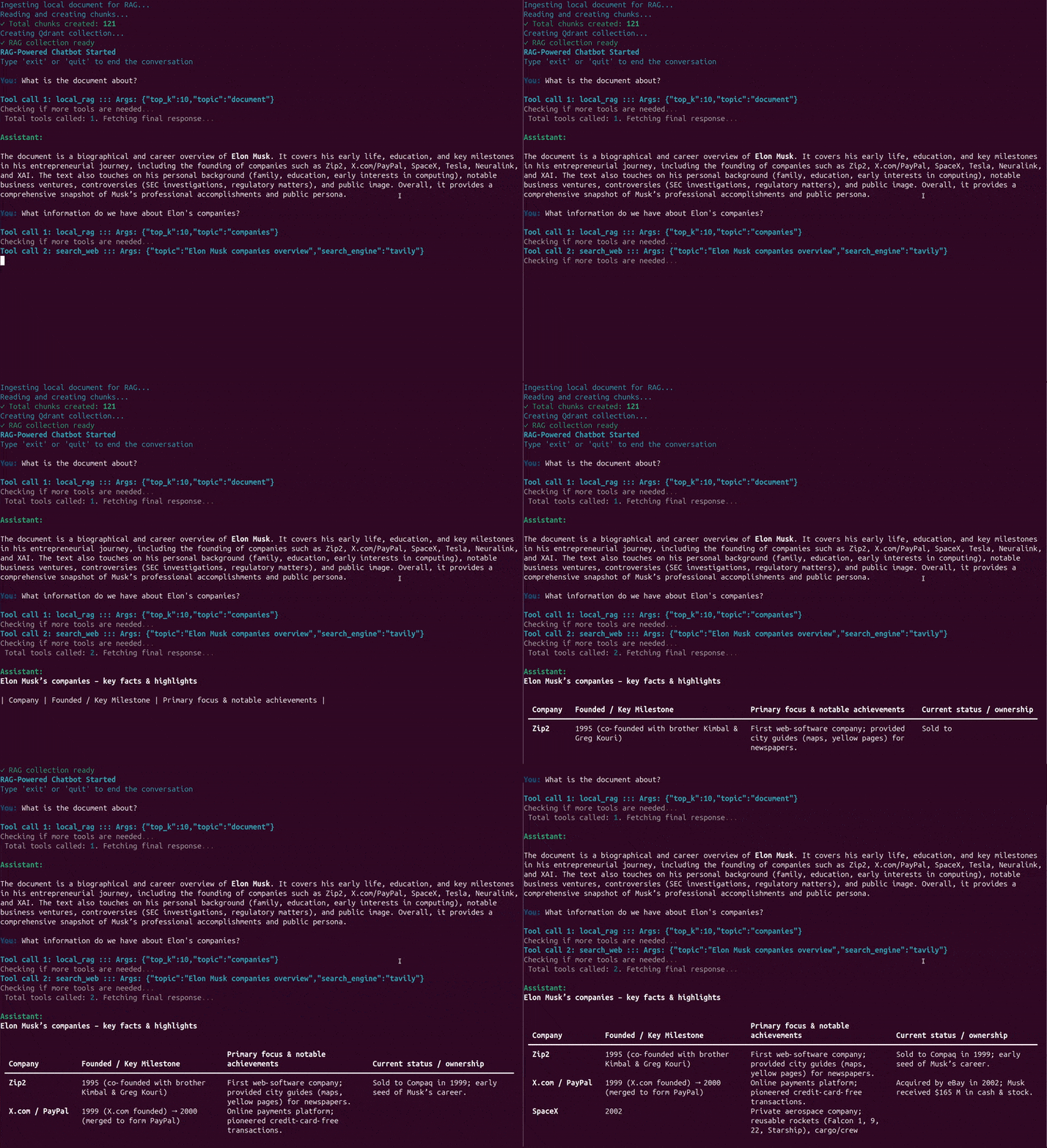
We will focus on two tools here that we have been discussing in the last few articles involving gpt-oss-chat. These are the web search and RAG tools.
Here are the first three articles of the gpt-oss-series:
- gpt-oss-chat Local RAG and Web Search
- Web Search Tool with Streaming in gpt-oss-chat
- RAG Tool Call for gpt-oss-chat
What are we covering while developing multi-turn tool call with gpt-oss-chat?
- Why do we need multi-turn tool call?
- How do we implement multi-turn tool call with gpt-oss-chat?
- How well does the implementation work?
- What can we do to improve the project further?
Why Do We Need Multi-Turn Tool Call?
In almost all the AI based chat applications that we have today, say, ChatGPT, Claude, DeepSeek, and more, each of them can search the web and retrieve information from our documents in one flow.
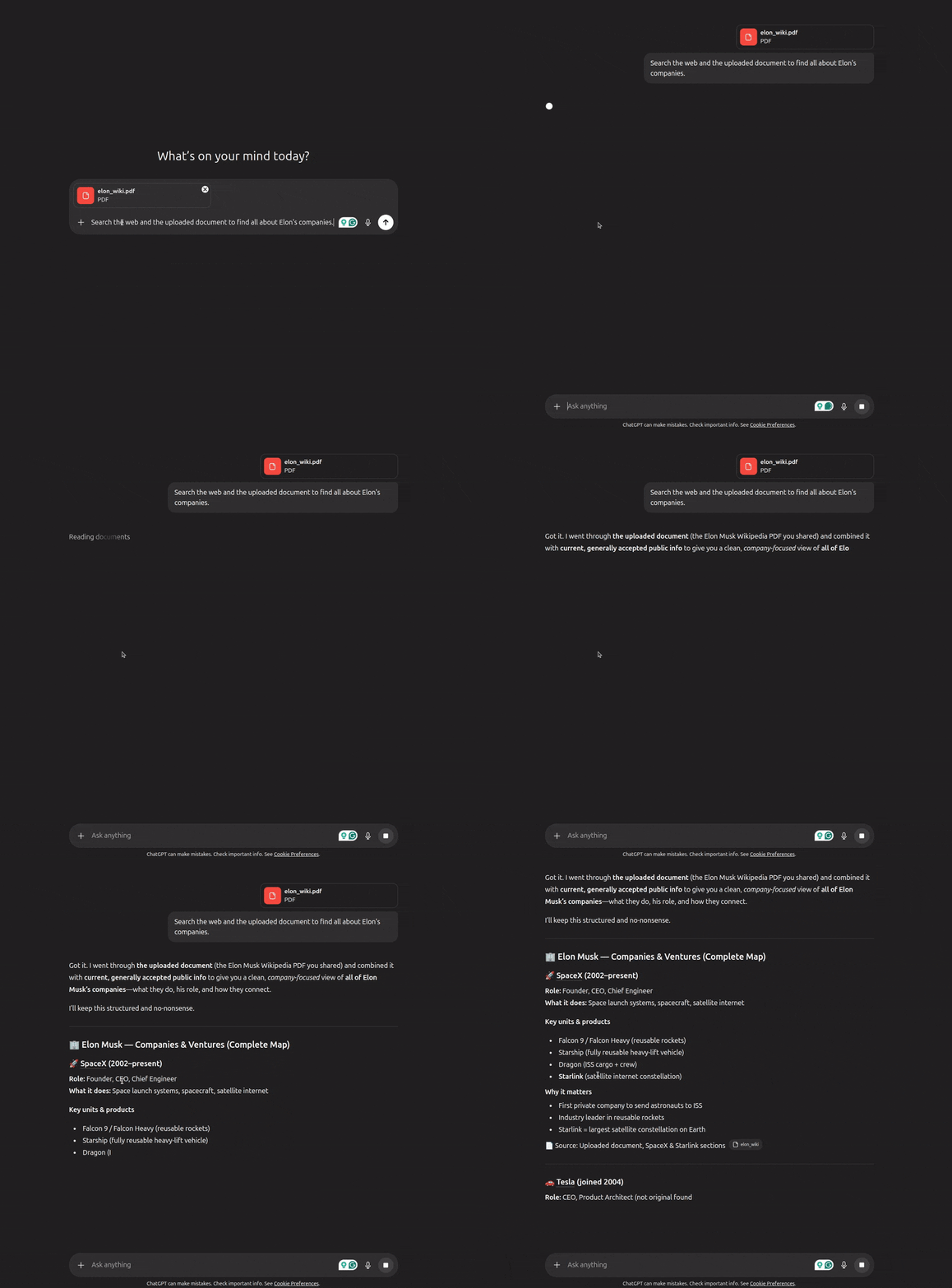
This has become an integral part of any complete chat application. Now, we are not claiming here to match that production level; however, we can try to understand how that can be done.
The second reason is grounding our chat assistant with as much information as possible. We will let it indepdently decide when to search the web, and when to retrieve information from user provided documents. This will surely improve the final results.
This article aims to replicate such a workflow by:
- Serving gpt-oss-20b using llama.cpp
- Adding web search and local RAG tools as multi-turn tool calls
Project Directory Structure
Note: The code that we will cover in this article is part of the gpt-oss-chat project. At the time of writing this, it is part of the multi_turn_tool branch. However, the article also comes with a downloadable and stable version of the branch that can be directly run locally without depending on the GitHub repository. Feel free to check the updates in the GitHub repository as you read through the article.
Following is the directory structure of the article.
├── assets
│   ├── gpt-oss-chat-terminal.png
│   └── gpt-oss-chat-ui.png
├── tools
│   ├── tool_simulation.py
│   └── tools.py
├── utils
│   └── prompt.py
├── api_call.py
├── app.py
├── LICENSE
├── README.md
├── requirements.txt
├── semantic_engine.py
└── web_search.py
In terms of the directory structure, it remains exactly the same as the previous article.
- We have the prompt and tool management scripts in the
utilsandtoolsmodules. - The executable CLI script is
app.py. - The web search functionality remains in
web_search.pyandsemantic_engine.pycontains the code to create an in-memory Qdrant vector DB when we provide a PDF.
In this article, we will mostly focus on the api_call.py tool calling loop and the prompt change in the utils/prompt.py script.
The article comes with a stable version of the codebase that you can run after setting up everything locally.
Download Code
Setting Up Dependencies
The first article in the series, where we discuss adding web search and local RAG to gpt-oss-chat contains all the steps to set up the codebase locally. This includes:
- Installing llama.cpp with CUDA support
- Setting up the necessary Python requirements
- Adding Tavily and Perplexity search APIs for web search
Please visit the article to complete the steps if you intend to run the code locally.
Discussing the Code for Multi-Turn Tool Call with gpt-oss-chat
The codebase discussion in this article will be short. The reason is that there are only minor logical changes in api_call.py and system prompt change in utils/prompt.py.
We will focus on the usecase demos in the rest of the article after discussing the codebase.
Changes in the System Prompt for Multi-Turn Tool Call
The system prompt has to change quite a bit when we want the assistant to call multiple tools in different turns when the user provides a single prompt.
The following code block shows the entire code for that.
SYSTEM_MESSAGE = """
You are a helpful assistant. You never say you are an OpenAI model or chatGPT.
You are here to help the user with their requests.
When the user asks who are you, you say that you are a helpful AI assistant.

You have access to the following tools:
1. search_web: Search the web for up-to-date information on any topic.
2. local_rag: Search the user's uploaded document for relevant information.

IMPORTANT: Multi-Tool Usage Guidelines:
- You can and SHOULD call multiple tools when a query would benefit from multiple sources.
- After receiving a tool result, if you need MORE information, call another tool.
- Example workflow for comprehensive answers:
  1. First, call local_rag if a document is available to get specific context.
  2. Then, call search_web to get supplementary or up-to-date information.
  3. Finally, synthesize all tool results into a comprehensive answer.
- Only generate your final response when you have gathered ALL necessary information.
- If a tool returns insufficient results, consider calling another tool for better coverage.

Always prioritize accuracy by using tools when necessary.

ALWAYS ENSURE THIS: Never make the same tool call more than once per conversation.
"""

def append_to_chat_history(
    role=None,
    content=None,
    chat_history=None,
    tool_call_id=None,
    tool_identifier=False,
    tool_name=None,
    tool_args=None
):
    if tool_identifier:
        chat_history.append({
            "role": role,
            "content": content,
            "tool_calls": [{
                "id": tool_call_id,
                "type": "function",
                "function": {
                    "name": tool_name,
                    "arguments": tool_args
                }
            }]
        })
        return chat_history
    if tool_call_id is not None:
        chat_history.append({'role': role, 'content': content, 'tool_call_id': tool_call_id})
    else:
        chat_history.append({'role': role, 'content': content})

    return chat_history
There are a few important aspects that we mention in the system prompt. These include:
- The assistant has access to multiple tools, such as web search and local RAG.
- The assistant can call multiple tools as and when necessary. If the user provides a PDF file and asks a question, it is at the liberty of the assistant to choose whether to call both web search and local RAG tools.
- We also mention that the assistant should never call the same tools twice in a single user turn.
Furthermore, the function to append chat history remains unchanged.
Multi-Turn Tool Calling Logic
The api_call.py contains the logic for multi-turn tool calling by the assistant in a single user turn.
Apart from the run_chat_loop function, everything else remains the same. The following codeblock contains the function.
def run_chat_loop(client, args, messages, console):
    """
    Reusable chat loop function that can be imported by other modules.

    Args:
        client: OpenAI client instance
        args: Parsed arguments containing web_search, search_engine, local_rag, and model
        messages: Chat history list
        console: Rich console instance for output

    Returns:
        messages: Updated chat history
    """
    while True:
        try:
            user_input = console.input("[bold blue]You: [/bold blue]").strip()
            print()
            if not user_input:
                continue
            if user_input.lower() in ['exit', 'quit']:
                console.print("[yellow]Goodbye![/yellow]")
                break

            context_sources = []
            search_results = []
            ### Web search and context addition starts here ###
            if args.web_search:
                try:
                    console.print(f"[dim]Searching with {args.search_engine}...[/dim]")
                    web_search_results = do_web_search(
                        query=user_input, search_engine=args.search_engine
                    )
                    # context = "\n".join(web_search_results)
                    # user_input = f"Use the following web search results as context to answer the question.\n\nContext:\n{context}\n\nQuestion: {user_input}"
                    search_results.extend(web_search_results)
                    context_sources.append("web search")
                except Exception as e:
                    console.print(f"[yellow]Warning: Web search failed: {e}[/yellow]")
            ### Web search and context addition ends here ###

            ### Document retrieval begins here ###
            if args.local_rag is not None:
                try:
                    console.print("[dim]Searching local documents...[/dim]")
                    hits, local_search_results = search_query(user_input, top_k=3)
                    # context = "\n".join(local_search_results)
                    # user_input = f"Use the following document search results as context to answer the question.\n\nContext:\n{context}\n\nQuestion: {user_input}"
                    search_results.extend(local_search_results)
                    context_sources.append("local RAG")
                except Exception as e:
                    console.print(f"[yellow]Warning: Document search failed: {e}[/yellow]")
            ### Document retrieval ends here ###

            # Update user input if search results are found.
            if len(search_results) > 0:
                context = "\n".join(search_results)
                user_input = f"Use the following search results as context to answer the question.\n\nContext:\n{context}\n\nQuestion: {user_input}"

            if args.rag_tool is not None:
                user_input += ' User has passed a document that can be used for local_rag tool'

            # messages = append_to_chat_history({'role': 'user', 'content': user_input})
            messages = append_to_chat_history('user', user_input, messages)

            try:
                stream = client.chat.completions.create(
                    model=args.model,
                    messages=messages,
                    stream=True,
                    tools=tools,
                    tool_choice='auto',
                )

                # print(event.choices[0].delta.content for event in stream)  # Debug: Print each event received from the stream
                # print(stream)

            except APIError as e:
                console.print(f"[red]Error: API request failed: {e}[/red]")
                messages.pop()  # Remove the user message that failed
                continue

            # Multi-turn tool call loop.
            # The assistant will keep on calling needed tools until it's ready to respond.
            MAX_TOOL_CALLS = 5  # Safety limit to prevent infinite loops
            tool_call_count = 0
            dangling_stream_content = ''

            while tool_call_count < MAX_TOOL_CALLS:
                tool_args = ''
                tool_name = None
                tool_id = None

                for event in stream:
                    if event.choices[0].delta.tool_calls is not None:
                        if event.choices[0].delta.tool_calls[0].function.name is not None:
                            tool_name = event.choices[0].delta.tool_calls[0].function.name
                            tool_id = event.choices[0].delta.tool_calls[0].id
                        tool_args += event.choices[0].delta.tool_calls[0].function.arguments
                    if event.choices[0].delta.content is not None:
                        dangling_stream_content = event.choices[0].delta.content
                        break

                if tool_name is None:
                    break

                tool_call_count += 1
                console.print(f"[bold cyan]Tool call {tool_call_count}: {tool_name} ::: Args: {tool_args}[/bold cyan]")
                tool_args = json.loads(tool_args)

                # Execute tool call.
                if tool_name == 'search_web':
                    result = search_web(**tool_args)
                elif tool_name == 'local_rag':
                    result = local_rag(**tool_args)
                else:
                    console.print(f"[yellow]Warning: Unknown tool: {tool_name}[/yellow]")
                    result = f"Error: Unknown tool: {tool_name}"

                # Append assistant message with tool call to chat history.
                messages = append_to_chat_history(
                    role='assistant',
                    content='',
                    chat_history=messages,
                    tool_call_id=tool_id,
                    tool_identifier=True,
                    tool_name=tool_name,
                    tool_args=json.dumps(tool_args)
                )

                # Append tool result.
                messages = append_to_chat_history(
                    'tool',
                    str(result),
                    chat_history=messages,
                    tool_call_id=tool_id
                )

                # Make another API call to let the model decide:
                # - Call another tool, OR
                # - Generate the final text response.
                console.print(f"[dim]Checking if more tools are needed...[/dim]")
                stream = client.chat.completions.create(
                    model=args.model,
                    messages=messages,
                    stream=True,
                    tools=tools,
                    tool_choice='auto',
                )

            if tool_call_count >= MAX_TOOL_CALLS:
                console.print(f"[yellow]Warning: Reached maximum tool calls ({MAX_TOOL_CALLS})[/yellow]")

            if tool_call_count > 0:
                console.print(f"[dim] Total tools called: {tool_call_count}. Fetching final response...[/dim]")
                console.print()

            # No tool call, just collect assistant response.
            # The logical flow also comes here when tool call is done and we
            # are streaming final response.
            current_response = ''
            buffer = ''
            # print(f"Dangling stream content: '{dangling_stream_content}'")
            if len(dangling_stream_content) > 0:
                # console.print(f"[dim] Dangling string: '{dangling_stream_content}'[/dim]")
                buffer += dangling_stream_content
            console.print("[bold green]Assistant:[/bold green] ")
            with Live(
                Markdown(''),
                console=console,
                refresh_per_second=10,
                # vertical_overflow='visible'
                vertical_overflow='ellipsis'
            ) as live:
                for event in stream:
                    stream_content = event.choices[0].delta.content
                    if stream_content is not None:
                        buffer += stream_content
                        live.update(Markdown(buffer))
                        current_response += stream_content

                messages = append_to_chat_history('assistant', current_response, messages)
                console.print()
                if context_sources:
                    console.print(f"[dim](Sources: {', '.join(context_sources)})[/dim]")

            console.print()

        except KeyboardInterrupt:
            console.print("\n[yellow]Interrupted. Goodbye![/yellow]")
            break
        except Exception as e:
            console.print(f"[red]Error: {e}[/red]")
            continue

    return messages
Most of the changes happen from line 82.
- We define a
MAX_TOOL_CALLSvariable with a limit of 5. This ensures that the retrieved context does not exceed a certain number of tokens and also that the assistant does not go into an infinite tool calling loop. - From line 88, we start the loop for calling the tools. We keep on making tool calls as and when the stream event contains the assistant’s response to call a tool. The discovery for this happens on lines 93 to 101. While the calling of the tool and adding the retrieved information to context happens on lines 110 to 137.
- The loop breaks either when the assistant decides that no more tool calls are needed or the maximum tool calling turn is reached.
- Finally, we show everything on the terminal using Rich UI, the logic for which is on lines 160 to 186.
Please visit the previous articles in the series to get a more detailed explanation of the entire function, the web search, and RAG tools as well.
In the rest of the article, we will focus on the demos and check how well our independent multi-turn tool call is working.
Experiments with Multi-Turn Tool Calling with gpt-oss-chat
Let’s run the llama.cpp server and the executable script from our project.
If llama-server has been added to the path, execute the following:
llama-server -hf ggml-org/gpt-oss-20b-GGUF -c 32000
Otherwise, execute the following from the cloned GitHub repository.
./build/bin/llama-server -hf ggml-org/gpt-oss-20b-GGUF -c 32000
We are serving the model with a context length of 32000.
Next, execute the api_call.py script while providing a PDF path to the --rag-tool argument.
python api_call.py --rag-tool elon_wiki.pdf
You can provide any PDF of your choice. Here we are using a PDF containing information about Elon Musk from Wikipedia.
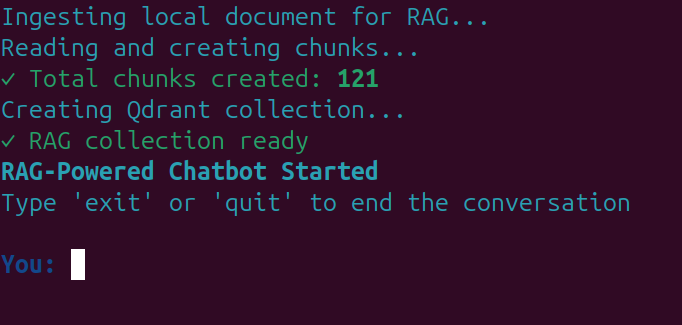
You should see information similar to the following after the completion of ingestion and the creation of the in-memory vector DB.
The following video shows a demo of the workflow for multi-turn tool calling.
Here, we ask the assistant to summarize the document, which it correctly did and only searched the document for it. Next, we asked about Elon’s companies, for which it automatically retrieves information from both the document and the internet. It followed a similar approach when we asked about his early life.
Now, let’s take a look at a demo with slightly complex prompts where we, as the user, try to control the behavior.
First, we ask the assistant to search document only, which it correctly did. Second, we asked it to search the web which also it flawlessly executed. No, unncessary tool calls when the user does not want it. In the third and fourth prompt it did not search both the web and the document when we asked it do so. However, in the final prompt, when we asked the assistant to find information about Elon’s video game company, it searched the internet and the document to find all the data, which is the correct approach.
Of course, we can improve the workflow a lot here, but this is a good starting point to understand how multiple and multi-turn tool calls work.
Future Improvements
- We can add more tools where we can provide the path to a directory, and the assistant can dynamically search the files in it when necessary.
- We can add external tools like connections to Google Drive or external SQL databases.
We can tackle a few of these in future articles while trying to improve upon the UI as well.
Summary and Conclusion
In this article, we covered multi-turn tool call with gpt-oss-chat. We observed how we can give an LLM assistant access to multiple tools and it can autonomously decide which tools use and when. Although not perfect, we are at a good starting point.
If you have any questions, thoughts, or suggestions, please leave them in the comment section. I will surely try to address them.
You can contact me using the Contact section. You can also find me on LinkedIn, and X.

