
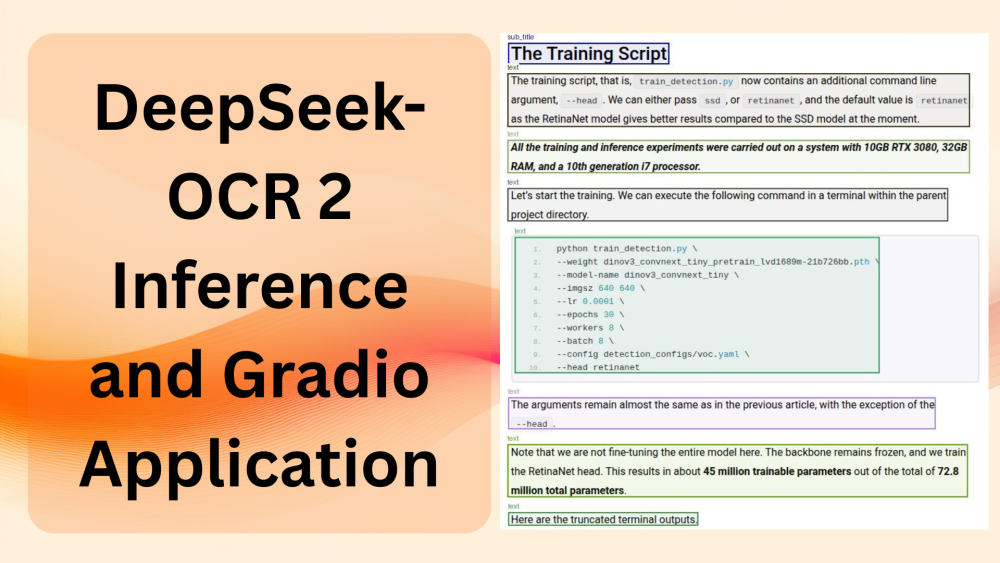
DeepSeek-OCR 2 is the latest OCR model from DeepSeek. However, the model is not just about the OCR component. It is also about rethinking the vision encoder for handling visual causal flow. In this article, we will cover inference using DeepSeek-OCR 2, wherein we will create a CLI script and also a Gradio application around that.
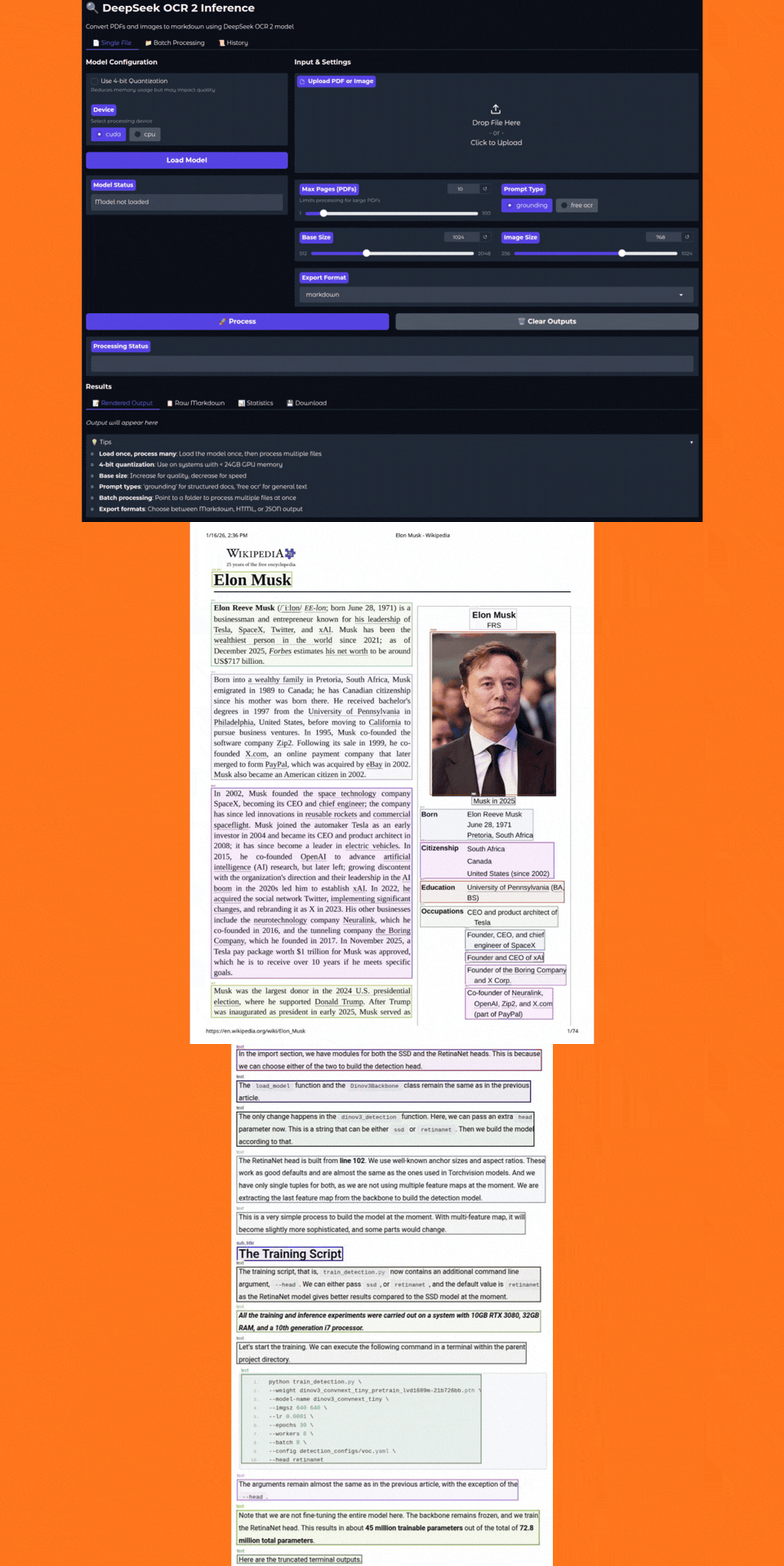
The authors made the model code and weights open-source, which makes it perfect for inference experiments. We can judge the model based on the various promptable workflows that it provides. Furthermore, we will also create a simple Gradio application for a smoother user interface while using the DeepSeek-OCR 2 model for inference.
We will cover the following topics while discussing DeepSeek-OCR 2:
- How to carry out inference using the DeepSeek-OCR 2 model?
- What prompt grounding does it provide for different inference workflows?
- How to generate editable markdown from multi-page PDFs and images?
The Project Directory Structure
Let’s take a look at the inference project directory structure.
├── app.py
├── config.py
├── LICENSE
├── README.md
├── requirements.txt
└── run.py
- The
run.pyscript contains all the inference logic and function definitions. It is a CLI executable script. Theapp.pycontains the code for Gradio application and imports most of the logic fromrun.py. - We have a
config.pyfile containing all the default configurations, which include the computation device, quantization type, and output directory path, among others.
This codebase is a part of the deepseek_ocr_2_inference GitHub repository. However, a stable version of the codebase is available for download in the form of a zip file along with this article.
Download Code
Installing Dependencies
We can use the requirements.txt file to install all the necessary libraries that we need.
pip install -r requirements.txt
That is all the setup we need. Let’s jump into the inference code for DeepSeek-OCR 2 in the next section.
Inference using DeepSeek-OCR 2
In this section, we will focus on the following:
- Understanding the code in
run.py - Generating raw markdowns from PDFs and images after OCR with DeepSeek-OCR 2
- Creating a Gradio application for a smoother user experience
The Configuration File
The config.py file contains defaults for loading the model, the data types for weights, image sizes for inference, and a few runtime processing settings.
# Configuration defaults for DeepSeek OCR inference

# Model settings
MODEL_NAME = 'deepseek-ai/DeepSeek-OCR-2'
TORCH_DTYPE = 'bfloat16'

# Inference settings
BASE_SIZE = 1024
IMAGE_SIZE = 768
CROP_MODE = True

# Processing settings
MAX_PAGES = None  # None means process all pages
SAVE_RESULTS = True

# Device settings
DEFAULT_DEVICE = 'cuda'
DEFAULT_INT4 = False

# Output settings
MERGED_OUTPUT_NAME = 'merged_output.md'
The inference settings are the defaults suggested by DeepSeek-OCR 2.
Creating the Core Logic for DeepSeek-OCR 2 Inference
All the code that we need for this is present in the run.py script.
Let’s start with the import statements, configuring the logging, and defining the CUDA device.
from transformers import AutoModel, AutoTokenizer, BitsAndBytesConfig
from pdf2image import convert_from_path

import torch
import os
import argparse
import logging
import time
import config

# Configure logging
logging.basicConfig(
    level=logging.INFO,
    format='%(asctime)s - %(levelname)s - %(message)s'
)
logger = logging.getLogger(__name__)

os.environ['CUDA_VISIBLE_DEVICES'] = '0'
convert_from_pathfunction will help us convert multi-page PDFs to images.- We will also have an option to load the model in INT4 quantization. So, we need
BitsAndBytesConfigfor that.
Loading the Model
def load_model(
    model_name=config.MODEL_NAME,
    int4=config.DEFAULT_INT4,
    device=config.DEFAULT_DEVICE
):
    """
    Load DeepSeek OCR model and tokenizer.

    :params model_name: HuggingFace model identifier
    :params int4: Whether to use 4-bit quantization
    :params device: Device to load model on ('cuda' or 'cpu')

    Returns:
        tuple: (model, tokenizer)
    """
    logger.info(f'Loading model: {model_name} (int4={int4}, device={device})')

    quantized_config = BitsAndBytesConfig(
        load_in_4bit=True
    )

    tokenizer = AutoTokenizer.from_pretrained(model_name, trust_remote_code=True)

    # Try Flash Attention 2, fallback to eager if unavailable
    try:
        model = AutoModel.from_pretrained(
            model_name,
            _attn_implementation='flash_attention_2',
            trust_remote_code=True,
            use_safetensors=True,
            quantization_config=quantized_config if int4 else None,
            torch_dtype=torch.bfloat16
        )
        logger.info('Using Flash Attention 2')
    except Exception as e:
        logger.warning(f'Flash Attention 2 not available: {e}. Falling back to eager attention.')
        model = AutoModel.from_pretrained(
            model_name,
            _attn_implementation='eager',
            trust_remote_code=True,
            use_safetensors=True,
            quantization_config=quantized_config if int4 else None,
            torch_dtype=torch.bfloat16
        )

    model = model.eval()
    if not int4 and device == 'cuda':
        model = model.cuda()
        model = model.to(torch.bfloat16)

    logger.info('Model loaded successfully')
    return model, tokenizer
We load the model in either BF16 or INT4 quantized format, depending on the configuration, which we can control via command line arguments.
If the GPU does not support Flash-Attention 2, we load the model in eager mode and return it along with the tokenizer.
Function to Read PDFs and Convert Them to Images
DeepSeek-OCR 2 cannot directly work on PDFs. We need to convert them to images first. The following function does that.
def read_pdf(file_path):
    """
    Read a PDF file and convert each page to an image and save as JPEG files.

    :params file_path: Path to input PDF file

    Returns:
        list: List of image file paths
    """
    images = convert_from_path(file_path)
    image_files = []
    os.makedirs('images', exist_ok=True)
    file_name = os.path.splitext(os.path.basename(file_path))[0]
    image_dir = os.path.join('images', file_name)
    os.makedirs(image_dir, exist_ok=True)

    for i, image in enumerate(images):
        image_file = os.path.join(image_dir, f"page_{i}.jpg")
        image.save(image_file, 'JPEG')
        image_files.append(image_file)

    return image_files
Although we save the images in the images directory, we directly deal with the image_files list later.
The Inference Function
The following run_inference function does the heavy lifting of forward passing the appropriate data through the model.
def run_inference(
    image_files,
    file_path,
    model,
    tokenizer,
    output_dir=None,
    prompt='grounding',
    base_size=config.BASE_SIZE,
    image_size=config.IMAGE_SIZE,
    crop_mode=config.CROP_MODE,
    save_results=config.SAVE_RESULTS,
    max_pages=config.MAX_PAGES,
    progress_callback=None
):
    """
    Run OCR inference on a list of images.

    :params image_files: List of image file paths
    :params file_path: Original input file path for naming output directory
    :params model: Loaded model instance
    :params tokenizer: Loaded tokenizer instance
    :params output_dir: Output directory (if None, created from file_path basename)
    :params prompt: Prompt type ('grounding' or 'free ocr')
    :params base_size: Base size for model inference
    :params image_size: Image size for model inference
    :params crop_mode: Whether to use crop mode
    :params save_results: Whether to save results to disk
    :params max_pages: Maximum pages to process (None for all)
    :params progress_callback: Optional callback function(page_idx, total, page_time, result) for streaming

    Returns:
        tuple: (output_dir, stats_dict) where stats_dict contains processing statistics
    """
    if output_dir is None:
        file_name = os.path.splitext(os.path.basename(file_path))[0]
        output_dir = os.path.join('outputs', file_name)

    os.makedirs(output_dir, exist_ok=True)

    if prompt == 'grounding':
        full_prompt = '\n<|grounding|>Convert the document to markdown. '
    else:
        full_prompt = '\nFree OCR'

    num_to_process = len(image_files)
    if max_pages is not None:
        num_to_process = min(max_pages, num_to_process)

    # Stats tracking
    stats = {
        'total_pages': num_to_process,
        'page_times': [],
        'total_time': 0,
        'start_time': time.time()
    }

    logger.info(f'Starting inference on {num_to_process} image(s)')

    for i in range(num_to_process):
        page_start = time.time()
        image_file = image_files[i]
        output_path = os.path.join(output_dir, f"page_{i}.mmd")
        res = model.infer(
            tokenizer,
            prompt=full_prompt,
            image_file=image_file,
            output_path=output_path,
            base_size=base_size,
            image_size=image_size,
            crop_mode=crop_mode,
            save_results=save_results
        )
        page_time = time.time() - page_start
        stats['page_times'].append(page_time)

        logger.info(f'Processed {image_file} ({page_time:.2f}s), results saved to {output_dir}')

        # Call progress callback for streaming updates
        if progress_callback:
            progress_callback(i, num_to_process, page_time, res)

    stats['total_time'] = time.time() - stats['start_time']
    stats['avg_time_per_page'] = stats['total_time'] / num_to_process if num_to_process > 0 else 0

    logger.info(f'Inference complete. Total time: {stats["total_time"]:.2f}s, Avg per page: {stats["avg_time_per_page"]:.2f}s')

    return output_dir, stats
It accepts the image files we loaded earlier, the original PDF file path, model, tokenizer, and rest of the configuration from the config module.
The prompt parameter defines whether we want a markdown output from the model or just raw text. If we pass the value as "grounding", we set one prompt. If we pass the value as "free ocr", then we set another prompt. The full_prompt that we define in lines 132-135, is understood by the inference pipeline, and it takes the appropriate action based on that.
The inference happens for each page from lines 151-163. The pipeline creates a subdirectory for each page in the output directory. Each subdirectory contains the markdown for a certain page, including the images and tables (if we choose "grounding" as the prompt).
Merging Markdowns
In the end, we also merge the markdowns of each page (in case of multi-page PDFs) and create a final markdown.
def merge_markdowns(output_dir, merged_markdown=config.MERGED_OUTPUT_NAME):
"""
Merge all page-level markdown files into a single markdown file.
:params output_dir: Directory containing page_X subdirectories with result.mmd files
:params merged_markdown: Name of merged output file or full path
Returns:
str: Path to merged markdown file
"""
if os.path.dirname(merged_markdown) == '':
merged_markdown = os.path.join(output_dir, merged_markdown)
os.makedirs(os.path.dirname(merged_markdown), exist_ok=True)
with open(merged_markdown, 'w') as outfile:
for i, dir_name in enumerate(sorted(os.listdir(output_dir))):
file_name = os.path.join(output_dir, dir_name, 'result.mmd')
if os.path.exists(file_name):
with open(file_name, 'r') as infile:
content = infile.read()
# content = content.replace('
content = content.replace('}/{output_dir}/{dir_name}/images/")
outfile.write(content + '\n\n')
logger.info(f'Merged markdown saved to {merged_markdown}')
return merged_markdown
As we save the merged output in the root subdirectory path, we replace the image paths in the markdown with absolute paths. The DeepSeek-OCR 2 inference pipeline automatically extracts the images in grounding mode and saves them. This logic happens on lines 195-203.
The Main Code Block
Finally, the main code block. Here, we define the command line arguments and call each function in the necessary order.
if __name__ == '__main__':
    parser = argparse.ArgumentParser(description='Run DeepSeek OCR inference on a PDF or single image')
    parser.add_argument('pdf', nargs='?', help='Path to input PDF')
    parser.add_argument('--image', '-i', help='Path to input image file')
    parser.add_argument(
        '--prompt',
        default='grounding',
        choices=['grounding', 'free ocr'],
    )
    parser.add_argument(
        '--merged',
        default='merged_output.md',
        help='Name of merged markdown output'
    )
    parser.add_argument(
        '--int4',
        action='store_true',
        help='Use int4 quantization'
    )
    parser.add_argument(
        '--max-pages',
        dest='max_pages',
        type=int,
        default=config.MAX_PAGES
    )

    args = parser.parse_args()
    # Validate inputs: accept either a PDF positional argument or a single image via --image
    if args.image and args.pdf:
        parser.error('Provide only one of a PDF positional argument or the --image option')

    if not args.image and not args.pdf:
        parser.error('Provide a PDF path or the --image option')

    model, tokenizer = load_model(int4=args.int4)

    if args.image:
        image_files = [args.image]
        input_path = args.image
    else:
        image_files = read_pdf(args.pdf)
        input_path = args.pdf

    output_dir, stats = run_inference(
        image_files,
        file_path=input_path,
        model=model,
        tokenizer=tokenizer,
        prompt=args.prompt,
        max_pages=args.max_pages
    )

    merge_markdowns(output_dir, merged_markdown=args.merged)
The following are some of the important command line arguments:
--int4: Whether to load the model in INT4 format using BitsAndBytes.--max-pages: The number of pages to run OCR inference on. This helps in case a PDF has several pages.--image: If we want to pass the path to a particular image for inference.
The first argument has to be the PDF path if we are not passing an image path.
Inference Experiments and Results
Loading and running the model in BF16 requires around 9GB VRAM, and with INT4 quantization requires ~5-6GB VRAM. The following results that we are going to discuss were run on an RTX 3080 10GB GPU in BF16 mode. You can pass --int4 for running on GPUs with 8GB VRAM or less.
Let’s take a look at how we can run run.py and carry out OCR on PDFs and images.
python run.py input/elon_wiki.pdf --max-pages 2
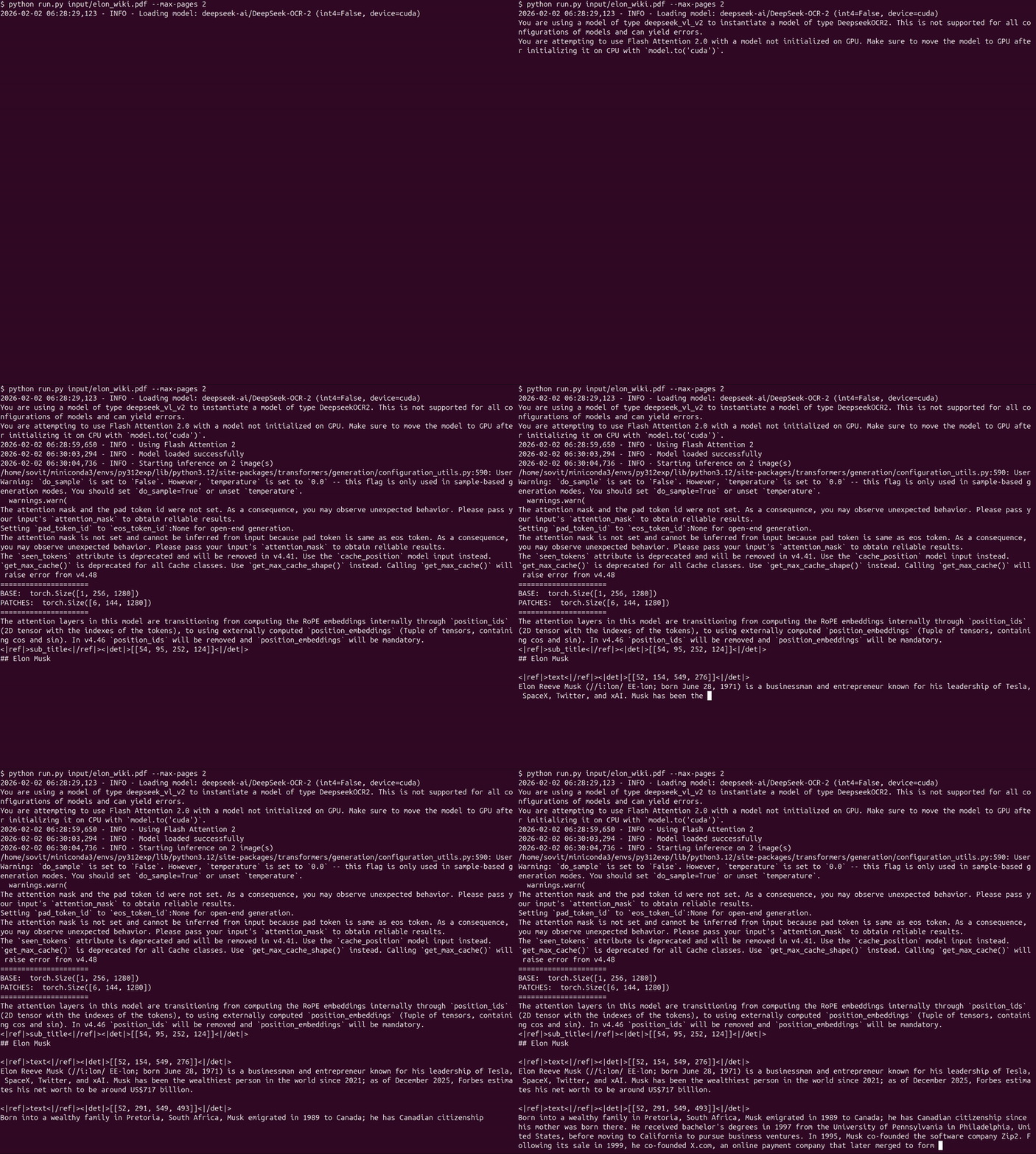
The following shows the streaming output from the terminal when the model is running on the file.
The output will be saved in the outputs/ subdirectory.
It detects each component in the images. If we enter the result directory, we find a subdirectory for each page. For example, the following is the result from the first page of the document.
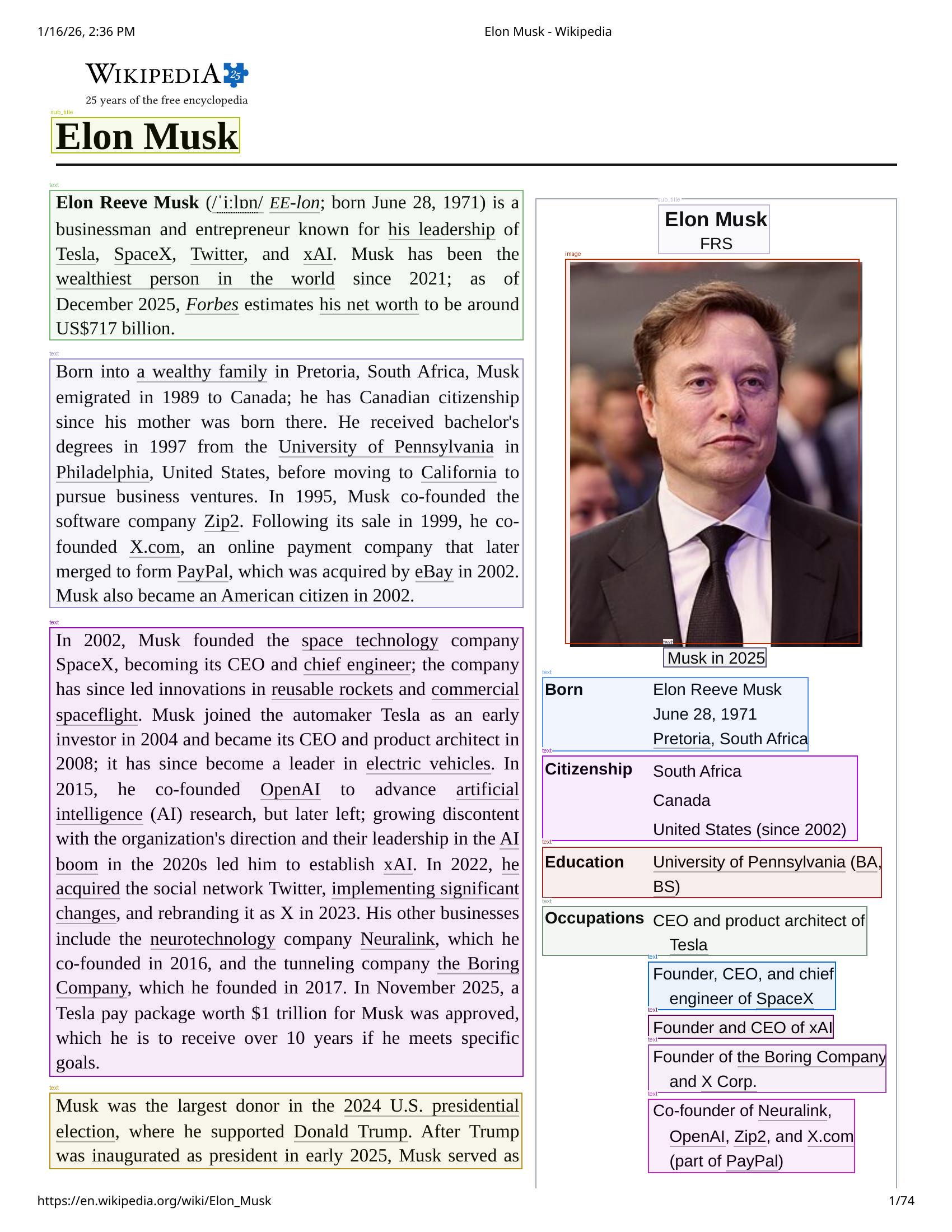
Each page subdirectory also contains a .mmd file and an images directory with all the cropped images. You can find the merged_output.md in the specific result file’s root subdirectory. Next, this can also be fed to an LLM easily, where the structure is maintained, and the LLM can easily parse through the document.
The following command shows how we can provide an image path for carrying out the OCR task.
python run.py --image input/image-1.png
The image contains both text and code. Let’s take a look at the resulting detection boxes.
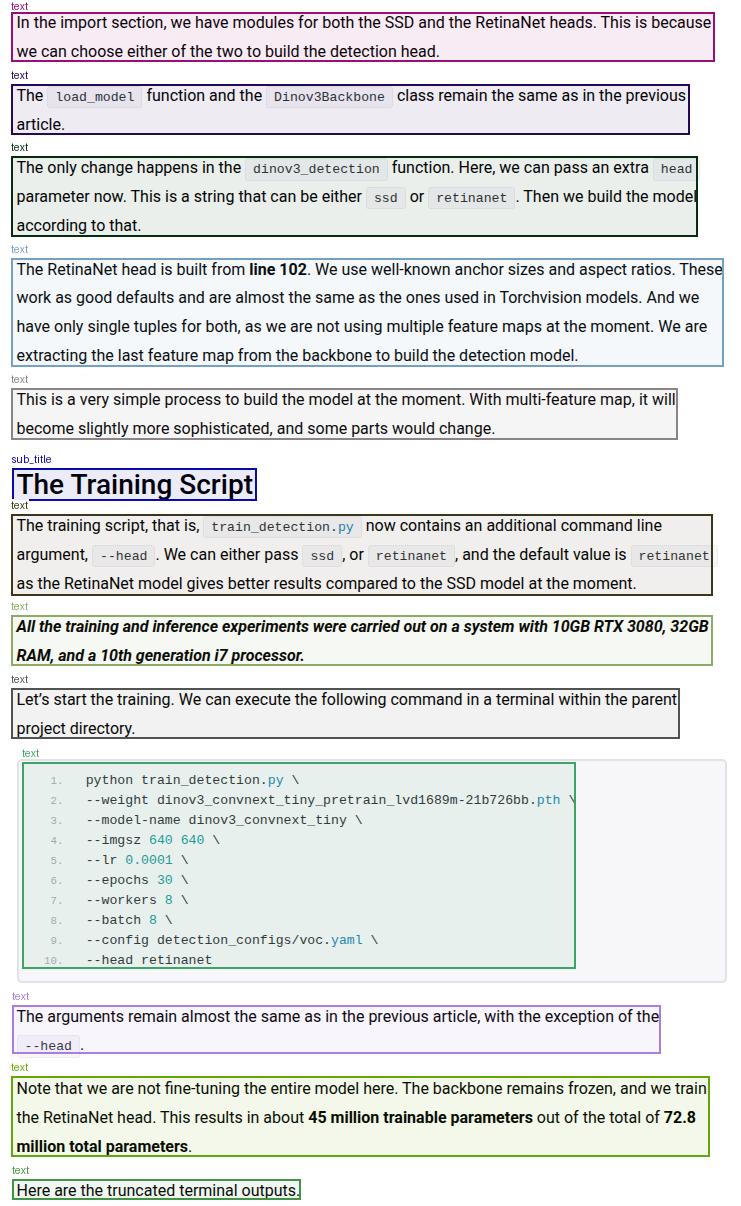
Although DeepSeek-OCR 2 is able to detect each element, it cannot differentiate between text and code blocks at the moment. It detects both of them as text elements. This carries forward to the markdown results as well, where the code blocks are simple text. This is one instance where Deepseek-OCR 2 is limited at the moment.
Running Deepseek-OCR 2 Gradio Application
The Gradio application is basically an amalgamation of all the functions from run.py, with a few additional features that include:
- Exporting the results as JSON or HTML pages.
- Visualizing the rendered markdown directly in the browser.
- Converting images to base64 for proper visualization.
- Batch processing for providing folder paths containing multiple PDFs.
We will not cover the code for the Gradio application here, as there are not many logical components to it. Please feel free to go through it once.
We can run it by executing the following command.
python app.py
Here is how the UI looks.
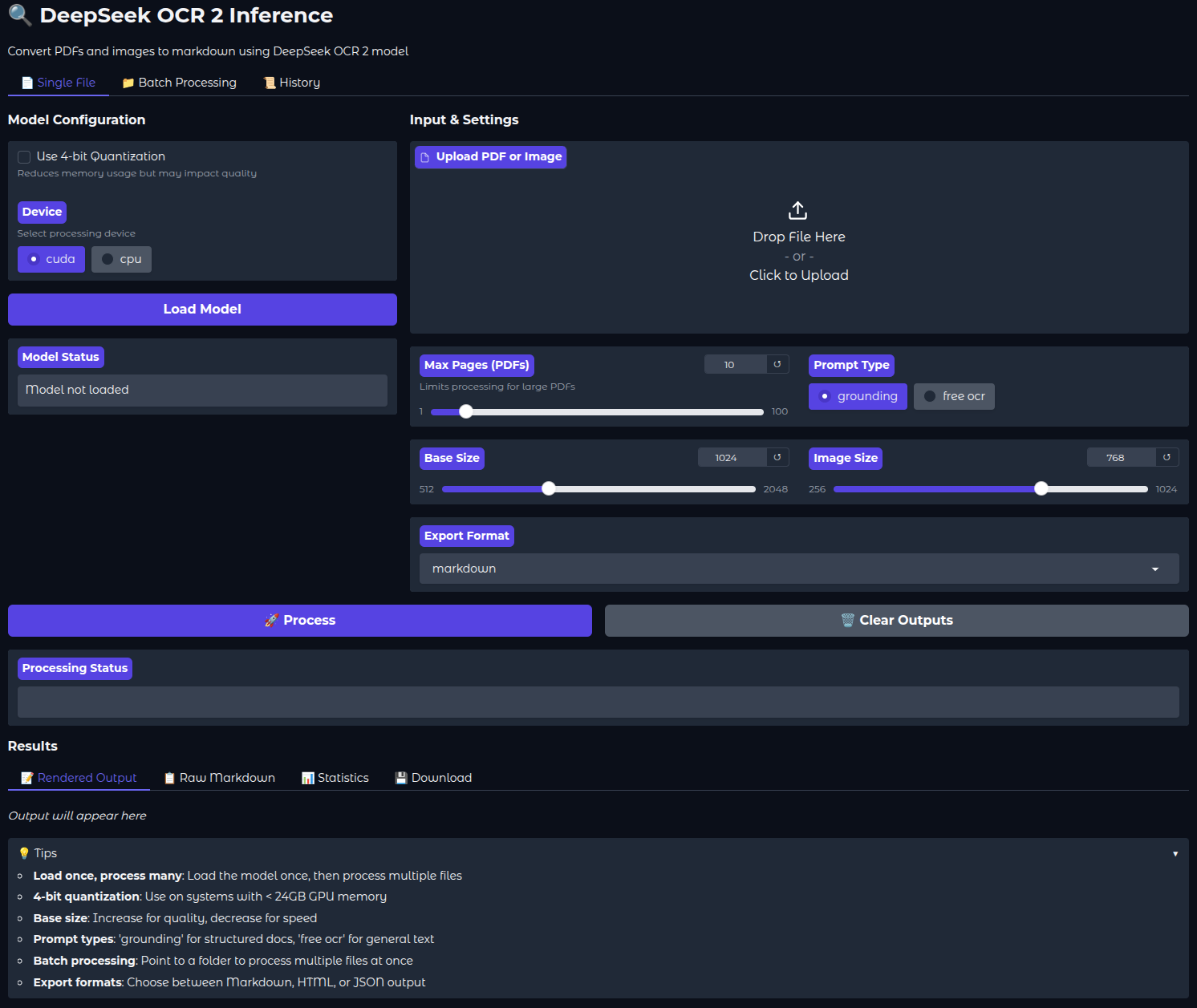
The following video shows how we can process a single PDF using the Gradio application. The inference waiting time has been truncated in the videos. Depending on the tokens/s and the amount of elements on each page, it can take somewhere between 30 seconds and 1 minutes for one page.
After the OCR process is complete, we can directly take a look at the rendered markdown in the UI. There are also tabs for raw markdown and statistics, which show the total time taken and the time taken for each page.
You can also control the number of pages to process via the slider, whether to export the file in JSON or HTML format, or whether to load the model in INT4 format.
Batch Processing via Gradio Application
During batch processing, we can give the absolute path to the folder containing PDF files and carry out OCR on them in one shot. The following video shows how we process 2 pages from two PDFs.
You can play around with the Gradio application and check how well the new Deepseek-OCR 2 model is performing on more complex PDFs.
Summary and Conclusion
In this article, we covered inference with DeepSeek-OCR 2 model. We covered the code for CLI inference and created a simple Gradio application as well. Along with that, we discussed the results and limitations of detecting code blocks. In the next article, we will cover the DeepSeek-OCR 2 paper in detail.
If you have any questions, thoughts, or suggestions, please leave them in the comment section. I will surely address them.
You can contact me using the Contact section. You can also find me on LinkedIn, and X.


1 thought on “DeepSeek-OCR 2 Inference and Gradio Application”